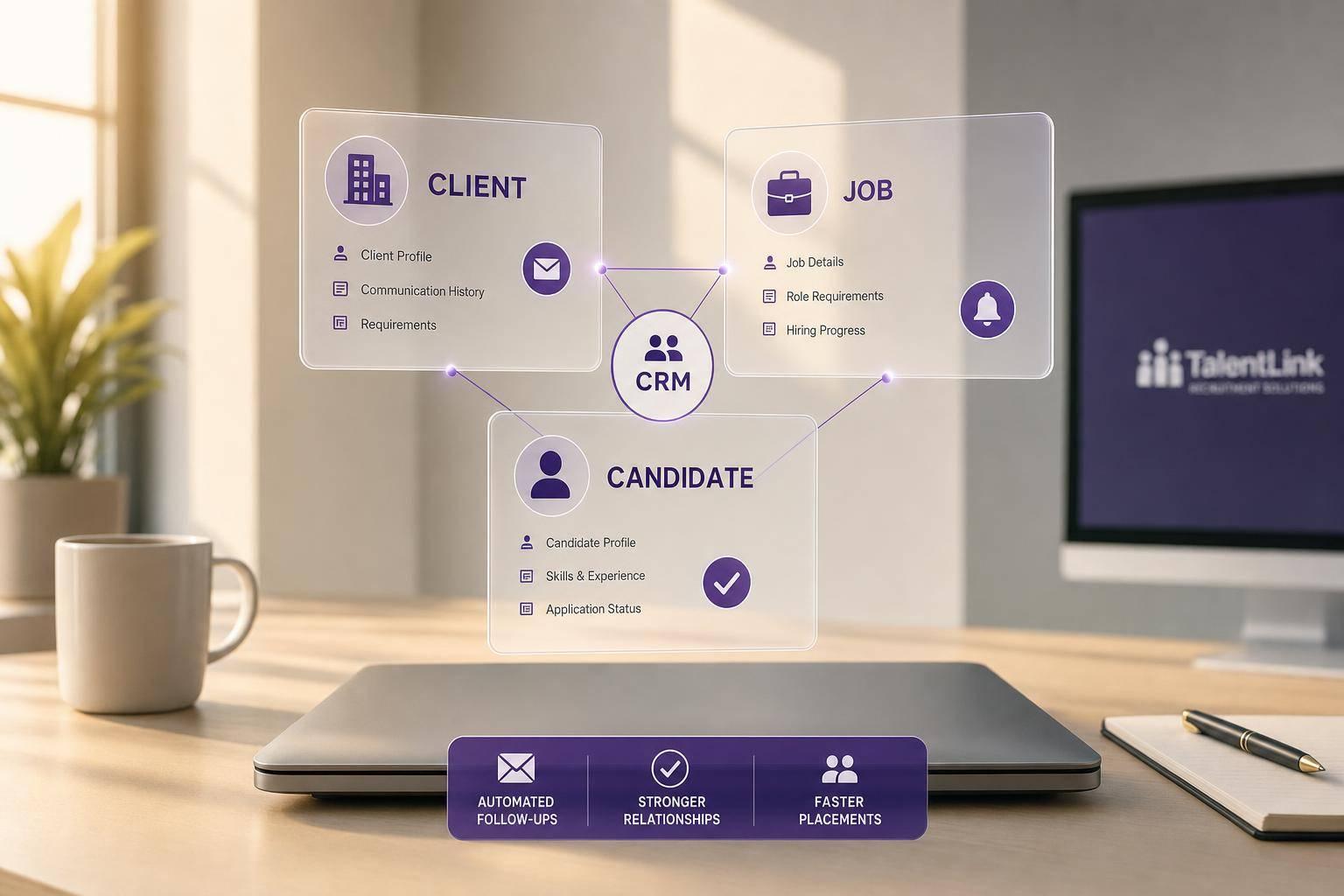

Recruitment Agency CRM: How It Supports Client and Candidate Relationships
A recruitment agency CRM helps me keep clients, candidates, and job activity in one place so follow-ups do not slip. That matters because missed replies, slow submissions, and weak post-placement contact can hurt fill rate, repeat business, and referrals.
Here’s the short version:
- I use one system to track client accounts, contacts, job orders, candidates, notes, and placement details.
- I keep two separate pipelines: one for sales and one for recruiting.
- I link client + job + candidate records so every update has context.
- I log calls, emails, interview notes, and next steps within 24 hours.
- I use automation for interview reminders, 30-day and 90-day check-ins, and routing rules.
- I watch metrics like time-to-fill, submission-to-interview ratio, client response time, and placements per recruiter.
- I pass structured form data from HireLab.io into the CRM so records stay clean from day one.
A simple setup like this gives me a clearer view of what is stuck, who needs a reply, and which accounts need attention. The article also points out that structured CRM and ATS workflows can improve submissions, placements, and fill rates.
Bottom line: this is not just a contact database. It is a working system for sales, recruiting, handoffs, and post-placement follow-up.
Below, I’ll walk through the main ideas in plain English without repeating every detail.
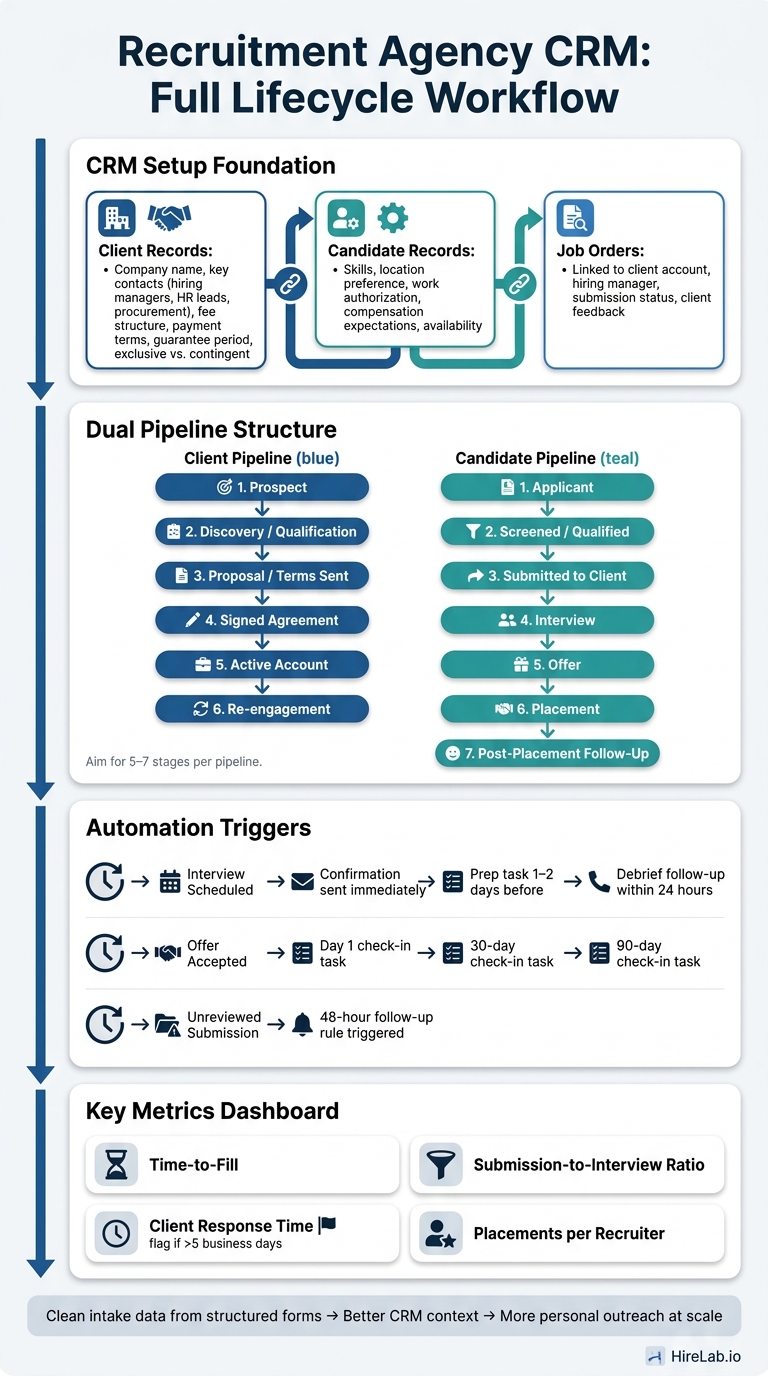
Recruitment Agency CRM Workflow: From Lead to Placement
Recruit CRM Demo & Tutorial: ATS + Recruitment CRM Walkthrough
How to Set Up Your Recruitment Agency CRM to Track Clients, Candidates, and Job Activity
Set up your recruitment agency CRM before the day-to-day rush kicks in. If the system isn’t mapped out early, things get messy fast. The goal is simple: connect client, candidate, and job records so every call, email, note, and status change has the right context.
Create complete client and candidate records
Your client records should hold more than just a company name and one contact. Add the company name, key contacts – hiring managers, HR leads, and procurement – plus fee structure, payment terms, guarantee period, and whether the engagement is exclusive or contingent. As your client list grows, HireLab’s dedicated client workspaces keep each account’s records, branding, and data fully separated.
Your candidate records need clear, structured fields. At a minimum, track skills, location preference, work authorization status, compensation expectations, and availability. That way, your team isn’t digging through notes trying to piece things together later.
Build separate pipelines for sales and recruitment
Most agencies need two pipelines running at the same time, and they should stay separate.
The client pipeline tracks business development:
- Prospect
- Discovery/Qualification
- Proposal/Terms Sent
- Signed Agreement
- Active Account
- Re-engagement
The candidate pipeline tracks recruiting:
- Applicant
- Screened/Qualified
- Submitted to Client
- Interview
- Offer
- Placement
- Post-Placement Follow-Up
Bullhorn, Vincere, Recruit CRM, and HubSpot support separate client and candidate pipelines, and our Staffing Agency CRM guide compares how each handles agency-specific workflows. Aim for 5–7 stages per pipeline and set clear rules for when a record moves from one stage to the next. That small bit of structure helps with follow-up consistency, team visibility, and faster candidate matching.
Link records so every interaction has context
This is where the CRM starts doing real work. Each job order should link to a client account and the specific hiring manager contact. Each candidate submission should connect both to the job and to the candidate profile, with fields for submission date, status, and client feedback. When an offer is made, create a placement record that ties the client, job, and candidate together, including offer amount, start date, and fee.
Once records are linked this way, the payoff is obvious.
Open a candidate profile and see every client they’ve been submitted to, what the outcome was, and any feedback.
Open a client account and see all active roles, submissions in progress, and historical placements.
Open a job order and see every candidate in the pipeline with their current stage.
When updates are tied to the right client, job, and candidate, your team gets a much clearer picture of what’s happening and what needs attention next.
How to Use Your Recruitment Agency CRM Daily to Manage Client and Candidate Relationships
Once your recruitment agency CRM is mapped, the day-to-day work is what keeps it useful. Linked records give you the structure. Daily updates keep client and candidate data current, usable, and easy to trust.
Track communication and next steps in one place
Log every call, email, text, interview note, and post-placement check-in within 24 hours. After each screening call, record the outcome and set the next task right away.
This matters most during high-stakes moments: after a submission, after an interview, and after an offer goes out. That’s where missed follow-up can hurt candidate experience and shake client confidence.
If it isn’t logged, nobody can act on it later. A clear note today saves time at the next stage and helps the handoff go more smoothly.
Move people and jobs through recruitment funnel stages consistently
Only move a record when something concrete has happened. Clean stage movement makes bottlenecks easier to spot.
The rule is simple: a candidate moves from Screened to Submitted only after the recruiter has checked qualifications and the client has approved the shortlist. A client moves from Discovery to Active Search only after the agreement is signed and the requisition is live.
Stalled records need action, not a parking spot. Review anything that has sat too long in Screened or Submitted each week. Then move it forward, close it, or place it into a nurture track. When stages stay clean, matching gets faster and more accurate.
Match candidates to open roles faster
Use structured fields to narrow the list fast. Tag candidates by skills, role family, seniority, location, rate, and past submissions. Then use keyword search and filter combinations to build targeted shortlists in less time.
That same data also helps with future redeployment, so the work you do now keeps paying off later.
How to Automate Follow-Up, Reporting, and Team Handoffs
Automate reminders, sequences, and routing
Automating repeat follow-up gives recruiters more time for the work that needs a human touch: live calls, interviews, and client conversations. A smart place to start is with stage-based triggers. For a broader look at automation-ready platforms, see our recruitment agency software buyer’s guide.
When a candidate moves to Interview Scheduled, the CRM can:
- send a confirmation right away
- create a prep task 1 to 2 days before the interview
- set a debrief follow-up within 24 hours after the interview
The same idea works after placement. If an offer is accepted, the system can create Day 1, 30-day, and 90-day follow-up tasks for the owning recruiter. That way, check-ins don’t get lost when the desk gets busy.
Routing should also happen automatically whenever possible. If you use standard fields, the CRM can send records to the right owner without back-and-forth. A candidate tagged Healthcare – Nursing, for example, can go straight to a nursing recruiter. An enterprise client can be assigned to a senior account manager. And for records that don’t fit any rule, set a fallback owner so nothing sits untouched.
One simple rule can also fix a common service issue: set a 48-hour follow-up rule for unreviewed submissions and unanswered outreach. It’s a small guardrail, but it helps close one of the most common gaps in agency recruiting.
Use dashboards to monitor client and candidate health
The same recruitment agency CRM data can also help teams spot trouble before a client or candidate starts to drift away. Inside that recruitment agency CRM dashboard, the main metrics to watch are time-to-fill, submission-to-interview ratio, client response time, and placements per recruiter. Put those next to internal targets and industry norms, and weak points start to stand out.
Client response time reports are especially useful for account management. If a client often takes more than five business days to review resumes, that’s something to address early instead of waiting until candidates begin to drop out. It’s a lot easier to fix a slow review process before it turns into a hiring problem.
Reviewing these dashboards each week in team meetings helps everyone stay ahead of bottlenecks instead of scrambling after the fact.
Connect Recruitment Agency CRM Workflows with HireLab.io Funnel Data
Good automation starts with clean intake data. When applicants come in through HireLab.io recruitment landing pages and smart forms, structured fields help the CRM work better from the first form fill.
Use integrations or webhooks so a HireLab.io form submission can create or update a contact, candidate, or job lead in the CRM using standard fields like first name, last name, email, phone, location, desired salary, work authorization, and specialty. Source and campaign data can come through as tags or structured fields, which gives recruiters cleaner attribution and a clearer view of where leads came from. Standard dropdowns also help cut down on duplicate records and messy entries.
That source visibility also makes follow-up more personal. If a recruiter can see where a candidate came from, which role they applied for, and which salary band they shared, the next message can match that context. It stops outreach from feeling generic. It also makes reporting stronger, because managers can see which campaigns bring in candidates who move through the pipeline, not just which ones bring in the most leads.
Conclusion: Build Stronger Client and Candidate Relationships at Scale
When your CRM, reporting, and follow-up workflows are connected, the system keeps every relationship moving. A recruitment agency CRM helps client and candidate relationships stay on track as volume grows. From the first inquiry to a 1-week, 30-day, and 90-day post-placement check-in, that structure gives agencies a way to build repeat business instead of starting from scratch each time.
The full lifecycle matters. A client lead captured today should move through a business development pipeline, turn into an active hiring need, get matched to candidates from a searchable database, and then become a placed hire with follow-up tasks already queued up. The idea is simple: the whole team works from one record.
Structured intake turns first-touch data into better CRM context from day one. When you pair that CRM setup with HireLab.io’s AI-powered intake workflows, intake becomes much tighter. Applicants come in through optimized landing pages and smart forms, and their data flows into the CRM with clean, structured fields. That gives recruiters instant context, so outreach feels informed and personal instead of generic, even at scale.
The payoff is better responsiveness, stronger collaboration, higher retention, and steadier placement success. Agencies get more from the CRM when they treat it like a workflow system, not just a contact list. Start with clean records, clear pipelines, and basic automations. Then add dashboards, AI funnels, and more advanced workflows as your team gets used to the process. The structure you set up now is what lets you grow without losing the personal touch that wins repeat business.
FAQs
How is a recruitment agency CRM different from an ATS?
A recruitment CRM is built for relationship management across the full hiring journey. It keeps client and candidate communication in one place, including contact history, pipeline changes, notes, reminders, and follow-up after placement.
An ATS is mostly about managing applications for a specific open role. It handles steps like Applied, Screening, Interview, Offer, and Hired.
That said, the line isn’t always clean-cut. In practice, HireLab’s ATS also includes candidate relationship management features, such as profiles, notes, templates, and team collaboration.
What should a small agency automate first?
Start with the initial screening process. Use automation for repetitive, high-volume work like resume parsing, AI-driven pre-screening, and applicant response scoring. That helps teams spot qualified candidates faster, cut manual workload, and stay responsive instead of letting good applicants sit in the queue.
Then move to social media recruitment campaigns. Automate targeting, budgeting, and performance adjustments so recruiters spend less time tweaking campaigns and more time interviewing people and building candidate relationships.
How do I know if our CRM data is clean enough?
Use clear, standard rules for data collection across every role, and give teams the same templates and note formats. Smart forms can help keep information accurate and consistent.
Limit editing access to authorized staff, review metrics on a regular basis to check for consistency, and test platforms with a 14- to 30-day trial using real candidate workflows. That way, you can spot issues early and make sure the data stays clean and exportable.