
Staffing Agency Software: Features That Actually Matter
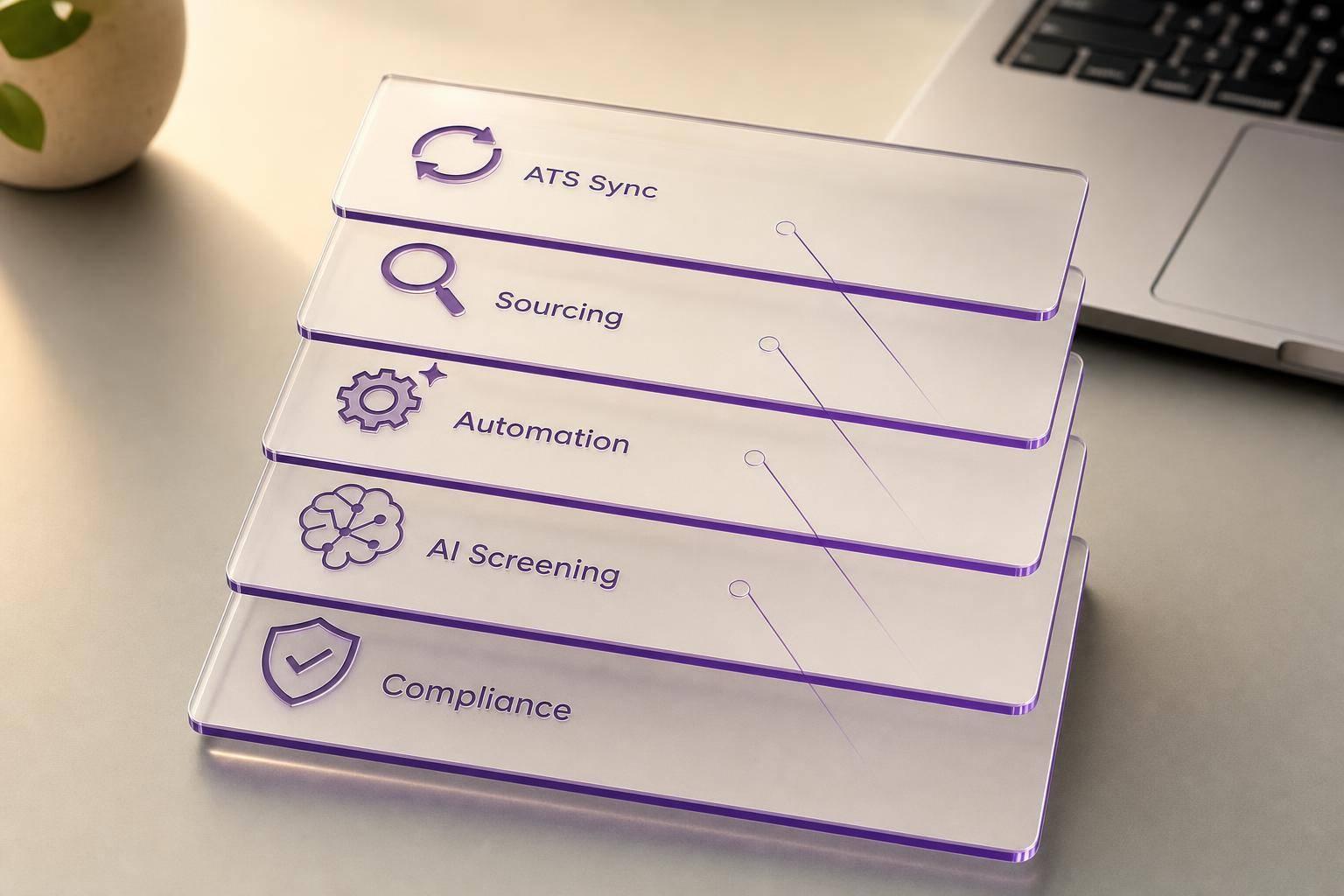
The short answer: the best staffing agency software is the one that cuts admin work, moves people through the funnel faster, and shows you what’s working. In this comparison, I’d focus on ATS/CRM sync, sourcing, automation, reporting, AI screening, and compliance – not long feature lists.
Here’s the key point in plain English: staffing teams are dealing with 93% more applications with teams that are 14% smaller than in 2021. So the software that matters most is the software that saves time.
If I were scanning this article for the main takeaway, I’d boil it down like this:
- HireLab.io: built for top-of-funnel recruiting, social ads, mobile apply flows, and ATS handoff
- Bullhorn: strong system of record for candidate, client, and compliance data
- Avionté: focused on job, candidate, and workflow control
- CEIPAL: leans on AI screening, matching, and routing
- JobAdder: good for structured tracking without heavy automation
- Vincere: keeps pipeline data, notes, and matching in one place
What I like about this comparison is that it stays tied to day-to-day outcomes:
- placement speed
- fill rates
- recruiter output
- candidate experience
- reporting visibility
Bottom line: if your issue is weak sourcing, look at the front of the funnel. If your issue is messy records, slow follow-up, or compliance work, look at the staffing agency software that handles those jobs with less manual effort.
Best ATS Software 2026: Top Applicant Tracking Systems for Small, Midmarket, and Enterprise
Quick Comparison of Staffing Agency Software
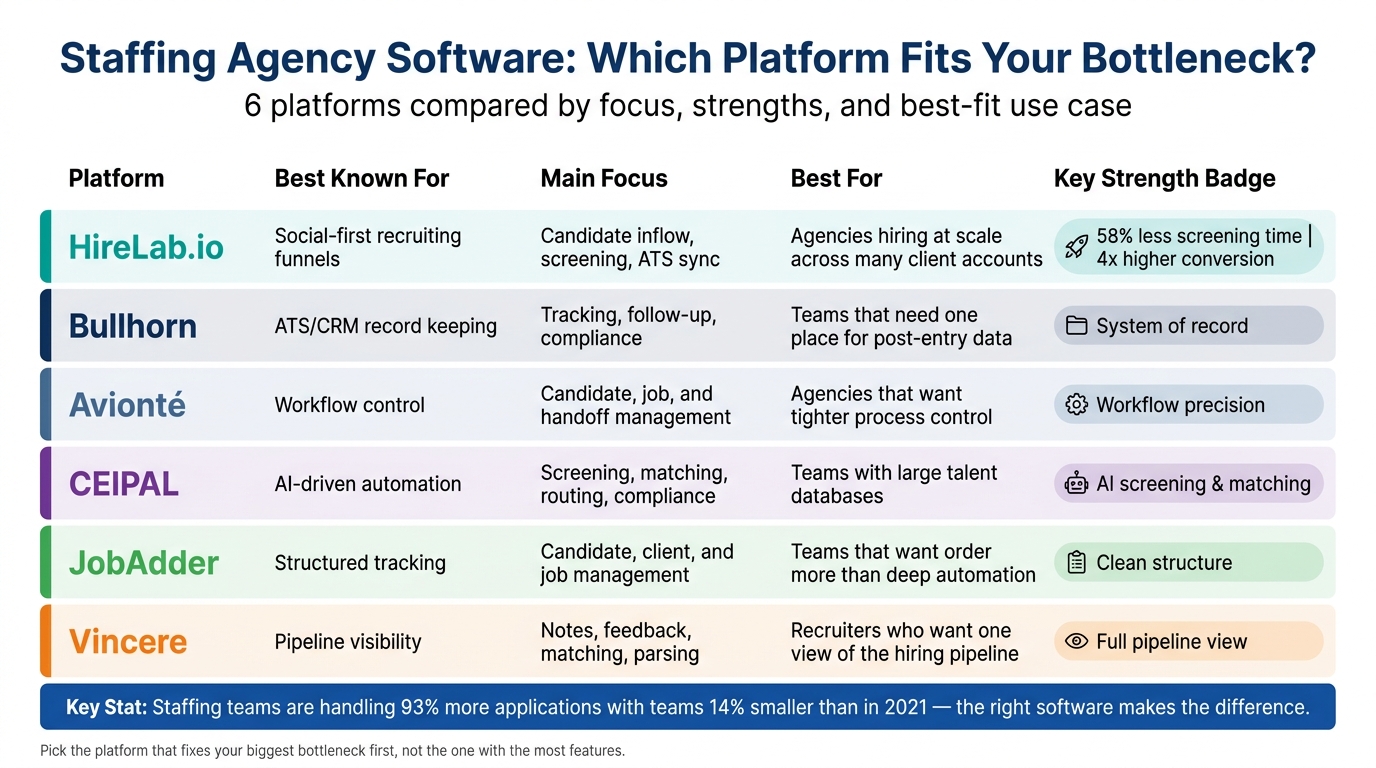
Staffing Agency Software Comparison: Top 6 Platforms at a Glance
| Platform | Best Known For | Main Focus | Best For |
|---|---|---|---|
| HireLab.io | Social-first recruiting funnels | Candidate inflow, screening, ATS sync | Agencies hiring at scale across many client accounts |
| Bullhorn | ATS/CRM record keeping | Tracking, follow-up, compliance | Teams that need one place for post-entry data |
| Avionté | Workflow control | Candidate, job, and handoff management | Agencies that want tighter process control |
| CEIPAL | AI-driven automation | Screening, matching, routing, compliance | Teams with large talent databases |
| JobAdder | Structured tracking | Candidate, client, and job management | Teams that want order more than deep automation |
| Vincere | Pipeline visibility | Notes, feedback, matching, parsing | Recruiters who want one view of the hiring pipeline |
So if I had to sum up the article in one line, it would be this: pick the platform that fixes your biggest bottleneck first, not the one with the most features.
1. HireLab.io
HireLab.io sits at the top of the recruiting funnel, built as multi-client recruitment software for agencies. It helps agencies pull in passive candidates with social media ads, branded landing pages, and mobile-friendly application forms. Once candidates are qualified, their profiles sync into the agency’s ATS. Agencies using HireLab’s automated screening have reported 58% less time spent on screening and 4x higher conversion rates than old-school job boards [1].
ATS/CRM Connectivity
HireLab includes a native ATS for teams that want a built-in system of record. If you’re weighing a dedicated recruitment CRM against a standalone ATS, see how a recruitment CRM differs from an ATS before you decide. If an agency already has an ATS, candidates from social campaigns sync over automatically. That means no manual data entry and fewer handoff headaches.
Sourcing and Conversion
The platform auto-generates branded, mobile-optimized recruitment funnels from existing job pages. In plain English, it turns your current job listings into smoother application paths that are easier to finish on a phone. That cuts down on the drop-off that happens when candidates quit halfway through an application.
Average time to first contact is under 24 hours [1]. In tight hiring markets, that kind of speed can make all the difference between keeping a candidate engaged and losing them to another firm.
Workflow Automation
HireLab automates campaign publishing to Meta and LinkedIn, AI screening with match scores, and applicant routing. So instead of recruiters pushing candidates through each step by hand, the system handles a big chunk of the busywork.
The Workspaces feature keeps each client’s data in separate client workspaces. That separation matters for agencies managing multiple accounts at once, especially when things get busy.
Reporting and Compliance
Client-facing dashboards are white-labeled for the agency. Clients get a clear view of performance without seeing the agency’s internal tools behind the curtain. Data governance across client accounts is supported through workspace-level candidate separation [2].
The main value here is simple: faster candidate capture, less screening work, and a cleaner ATS handoff.
2. Bullhorn
Bullhorn acts as the system of record for candidate, client, and compliance data across the hiring lifecycle. It keeps notes, interactions, and compliance details in one place.
It fits the operational layer well. Once candidates are in the system, the focus shifts from sourcing to tracking, compliance, and smooth handoff to the next step. That’s where Bullhorn tends to shine: keeping post-entry data clean and connected.
ATS/CRM Connectivity
Bullhorn has a large integration marketplace that connects with payroll, benefits, HRIS, background check, assessment, and onboarding tools [4]. So when a candidate is placed, data can move downstream without duplicate entry. In plain English, that means less copy-pasting and fewer errors after placement.
Sourcing and Conversion
Bullhorn works best once applicants are already in the pipeline [4]. It supports structured intake, follow-up, and compliance after candidates are entered. That makes it a strong fit for agencies that need a dependable system of record, not a top-of-funnel sourcing tool.
Workflow Automation
Recruiters can set up triggers for status changes and automated follow-up emails, which cuts down on manual follow-up across active roles [4]. If your team is juggling a lot of open reqs, that kind of automation can save time fast.
Reporting and Compliance
That same structure also helps with visibility and audit readiness. Bullhorn includes real-time reporting dashboards for metrics like time-to-fill and source of hire, along with built-in compliance checks [4]. Client reports can need extra customization if you want full white-labeling.
3. Avionté
Avionté is a strong fit for agencies that want tighter control over active jobs and candidate handoffs. Instead of leaning hard into front-end sourcing, it puts more weight on workflow management.
The big draw is simple: Avionté brings candidate, job, and workflow data into one platform. That cuts down on handoffs, trims duplicate entry, and helps teams keep work moving without the usual back-and-forth.
ATS/CRM Connectivity
Avionté keeps candidate and job data in one place, so recruiters spend less time jumping between tools and rekeying the same information.
Sourcing and Conversion
Avionté makes the most sense for agencies that already have active candidates in the pipeline and need better control over intake, placement, and handoff.
Workflow Automation
Its automation handles status updates, task routing, and follow-up. That means recruiters can keep active roles moving without having to chase every step by hand.
Reporting and Compliance
Reporting, dashboards, and compliance tracking matter most when they show fill speed, data accuracy, and placement activity without piling on extra manual reporting.
The next platform moves away from workflow control and leans more into broader automation and recruiter productivity.
4. CEIPAL
For agencies that already sit on a lot of candidate data, CEIPAL stands out by taking screening, routing, and compliance tasks off recruiters’ plates. The platform leans hard into automation, with an emphasis on faster screening, smoother data movement, and less hands-on admin work.
ATS/CRM Connectivity
CEIPAL uses open APIs and webhooks to connect with job boards, social channels, talent databases, and vendor management systems like Fieldglass and Beeline.
Sourcing and Conversion
CEIPAL’s AI matching and screening tools help recruiters find the best-fit candidates from existing talent pools faster. The main pitch here is simple: get more out of the candidate data you already have instead of starting from scratch every time.
Workflow Automation
Automated screening and AI-driven matching cut down on repetitive tasks and help recruiters sort priorities faster. That can keep active roles moving without needing manual input at every single step.
Reporting and Compliance
Compliance tracking includes automated support for core compliance requirements, which matters for agencies managing high-volume or contingent placements. In practice, that means cleaner compliance tracking and reporting you can rely on more when placement volume starts to stack up. The big question is whether those controls ease recruiter workload without slowing down placements.
5. JobAdder
JobAdder focuses on candidate, client, and job tracking, which makes it a solid fit for agencies that care more about structure than heavy automation. You see that most in day-to-day work: data entry, task tracking, and handoffs between team members.
ATS/CRM Connectivity
JobAdder keeps candidates, clients, and job orders in one system. That helps cut duplicate entry and reduces manual handoffs.
Sourcing and Conversion
JobAdder supports basic sourcing and matching. But it isn’t built for high-conversion, top-of-funnel recruiting or engaging passive job seekers.
Workflow Automation
Its automation handles routine recruiting tasks, not complex multi-stage workflows. In practice, that means fewer manual task updates on active roles, but without deeper orchestration support.
Reporting and Compliance
JobAdder includes reporting on recruiter activity and pipeline status. It also includes compliance tracking for audit support and day-to-day visibility.
That makes JobAdder strongest for teams that want control and visibility more than heavy automation.
6. Vincere
Vincere keeps candidate data and pipeline stages in one place, which helps recruiters move from application to placement with less friction. Interview feedback and internal notes stay attached to each candidate record, so the full story travels with the candidate [3][1]. The upside is pretty simple: fewer handoffs, faster screening, and tighter control over the pipeline.
ATS/CRM Connectivity
Vincere keeps candidate information in one system, making it easier for recruiters to track status, share context, and hand off candidates without losing the thread.
Workflow Automation
Vincere also uses AI for candidate matching and resume parsing, which can cut manual screening time [3][1]. In plain English, that means recruiters spend less time sorting resumes by hand and more time moving people through the pipeline [3][1].
Those differences stand out more when the core features are compared side by side.
Feature-by-Feature Breakdown of Staffing Agency Software
When comparing staffing agency software, the biggest gaps tend to show up in day-to-day recruiting. Can candidate and client data stay connected? Can the platform reach people beyond job boards? How much busywork does automation take off your team? And when it’s time to check results or deal with compliance, is reporting simple or a headache?
A practical way to judge each platform is to look at four things: clean data flow, stronger sourcing, less manual work, and simpler reporting.
ATS/CRM Connectivity
Start with data flow. Everything that happens later depends on it.
Look for open APIs, webhook sync, and external ATS handoff so candidate and client data stay aligned. If records fall out of sync across tools, recruiters end up doing double entry, and data accuracy drops fast. For agencies that already use an ATS, a direct integration may make more sense than switching platforms altogether.
Once records sync cleanly, the next question is simple: can the software pull in candidates you won’t find through job boards alone?
Sourcing and Conversion
Choose tools that turn social traffic and mobile forms into qualified candidates without leaning too hard on job boards. Platforms that support social sourcing across channels like Meta, LinkedIn, and SMS can reach passive candidates that job boards miss completely.
Getting candidates into the funnel is only part of the job. What matters next is how much screening and routing the platform can handle on its own.
Workflow Automation and Reporting
Automation should take routine tasks off recruiters’ plates – screening, routing, and follow-up – so they can spend time on decisions that need a person, not a system. AI-assisted screening can cut admin time by up to 70% [1].
On the reporting side, agencies need clear reporting and audit trails without digging through manual exports. Those reports should connect straight to fill speed, compliance, and recruiter workload.
Pros and Cons
The features above make it easier to see where HireLab.io does the heavy lifting. At this point, it comes down to one thing: does it line up with how your agency already works?
As staffing agency software, HireLab.io is a strong match for agencies that need a social-first funnel, a fast setup, and a clean ATS handoff. It tends to work best when client volume is high and your team can’t afford to spend hours on manual follow-up.
| Product | Best Fit | Main Pros | Main Cons |
|---|---|---|---|
| HireLab.io | Agencies focused on high-volume roles in logistics, retail, healthcare, hospitality, and manufacturing that need fast setup, isolated client pipelines, and social-first recruitment funnels | White-labeled client dashboards, multi-client workspace isolation, and social sourcing through Meta and LinkedIn with a free ATS included | Less suited for teams that rely primarily on job-board-first recruiting workflows |
In plain English, HireLab.io makes the most sense when candidate flow is high, sourcing has to go beyond job boards, and each client account needs to stay separate and easy to manage. Its biggest edge is candidate capture. It helps agencies pull in passive candidates through social-first funnels before those people ever land on a job board.
Where it may feel less aligned is post-placement workflow depth, especially for agencies already tied to a legacy ATS model.
Conclusion
After looking at sourcing, automation, reporting, and compliance, the decision comes down to one thing: your biggest bottleneck.
The right staffing agency software should remove the problem that’s slowing your team down most, whether that’s disconnected data, slow follow-up, or weak reporting.
If duplicate records are creating a mess, isolated workspaces and ATS sync can help clean that up. If response times are lagging, 24/7 automated screening can move candidates through faster. And if client updates feel vague or hard to prove, real-time dashboards give you a clearer view of what’s happening.
Once you know where the friction is, the choice gets much simpler. Consolidate when your team is stuck jumping between disconnected tools. Go with a specialized layer when your ATS is doing its job, but candidate capture is falling short.
That’s where HireLab.io fits. It sits in front of your ATS and improves social sourcing, branded landing pages, and the mobile application flow.
Before you commit, check current plans and pricing and run a short pilot using live workflows. That gives you a clear way to see if the software cuts manual work, speeds placements, and gives your team better visibility.
FAQs
How do I know which software feature matters most for my agency?
Map your current recruitment process so you can spot where things get stuck and where manual work is eating up your team’s time. Then zero in on the features that fix those pain points and lead to results you can track, like faster placements, lower cost-per-hire, or stronger candidate quality.
Put your attention on features like AI-powered candidate matching, branding tools, smooth integrations, and real-time analytics that show which sources perform best and how candidates move through the pipeline.
Should I replace my ATS or add a sourcing layer on top?
You probably don’t need to replace your current ATS. In many cases, the better move is to add a conversion-focused intake layer between social traffic and your ATS.
Your ATS can stay the system of record and your compliance layer. But it may not be the best fit for that first interaction with social or passive candidates. A dedicated intake layer can catch intent early, screen for must-have criteria, and send cleaner, better-qualified data into your ATS.
What should I test in a staffing agency software pilot?
Run a 14- to 30-day pilot using actual candidate workflows. Bring in real job postings and resumes, work across multiple client accounts, and make sure data stays securely separated.
Look closely at day-to-day workflows, access permissions, and integrations too. If you’re testing AI features, start with high-volume roles first. Then check screening accuracy, compliance, and fairness before you roll anything out across the board.