


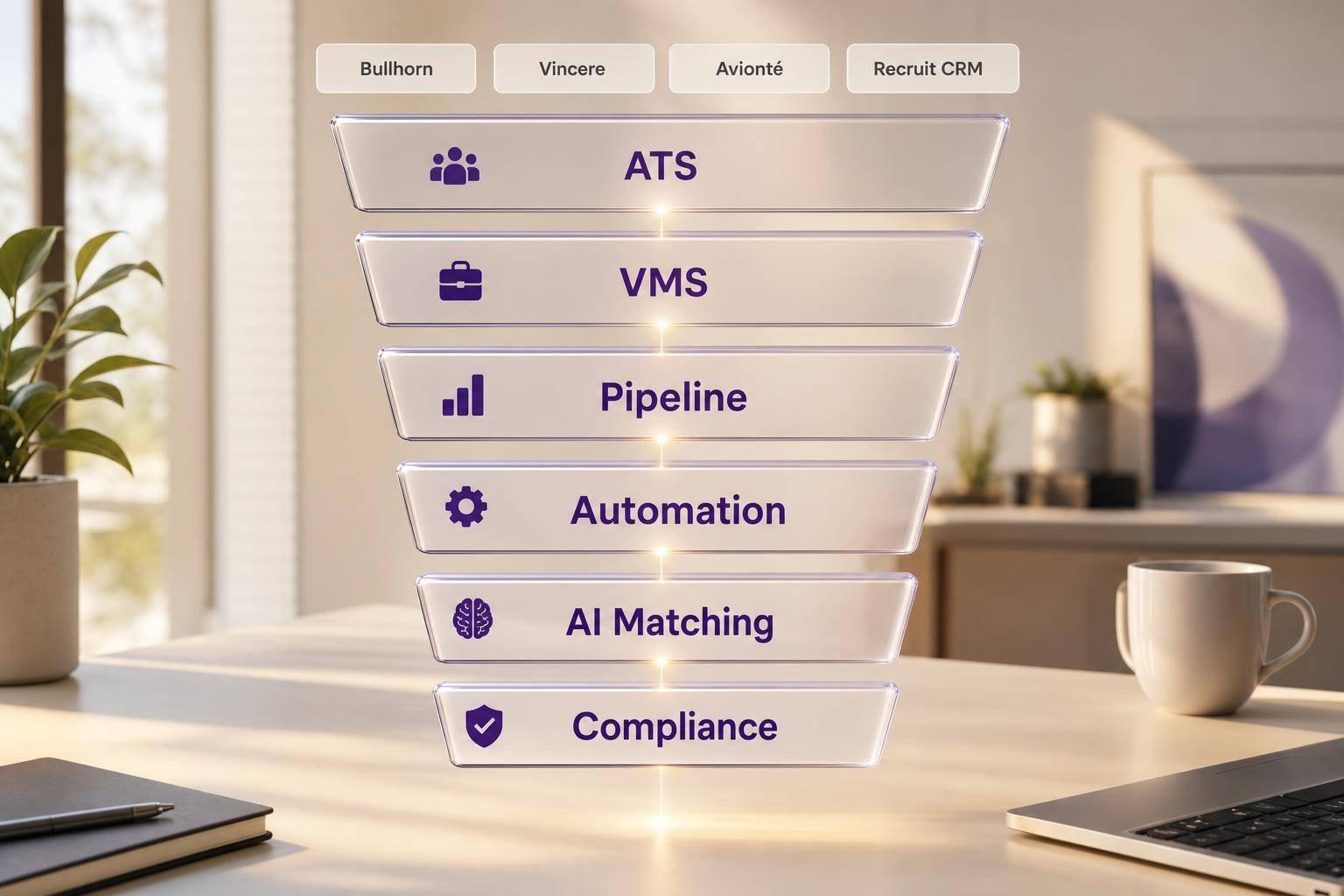

Staffing Agency CRM: What to Look For
A bad staffing agency CRM can cost you money fast. With average cost-per-hire at $4,700 in 2025 and disconnected systems cutting 15% to 25% of margin, I’d focus on one thing first: does the staffing agency CRM fit how recruiters work every day?
Here’s the short version:
- Bullhorn fits larger staffing teams that want ATS, CRM, automation, reporting, and marketplace connections in one system.
- Vincere fits agencies that want CRM and ATS steps tied together without as much system weight.
- Avionté fits agencies with heavy VMS use and more back-office needs.
- Recruit CRM fits smaller or growing teams that want visual pipelines and simple automation.
When I compare staffing agency CRM options, I’d check these points first:
- ATS and VMS connections
- Candidate and client pipeline tracking
- Email and follow-up automation
- AI matching and screening tools
- LinkedIn recruitment funnels and sourcing connections
- Reporting and forecast views
- U.S. compliance support like I-9, E-Verify, background checks, CCPA, and NYC AEDT
The main takeaway: pick the system that cuts extra steps, keeps data in one place, and matches your agency’s mix of active and passive recruiting. If you’re weighing this against broader options, our recruitment agency software buyer’s guide compares CRM-first and ATS-first platforms side by side.
Bullhorn vs Recruit CRM: Which one is right for you?
Staffing Agency CRM Comparison
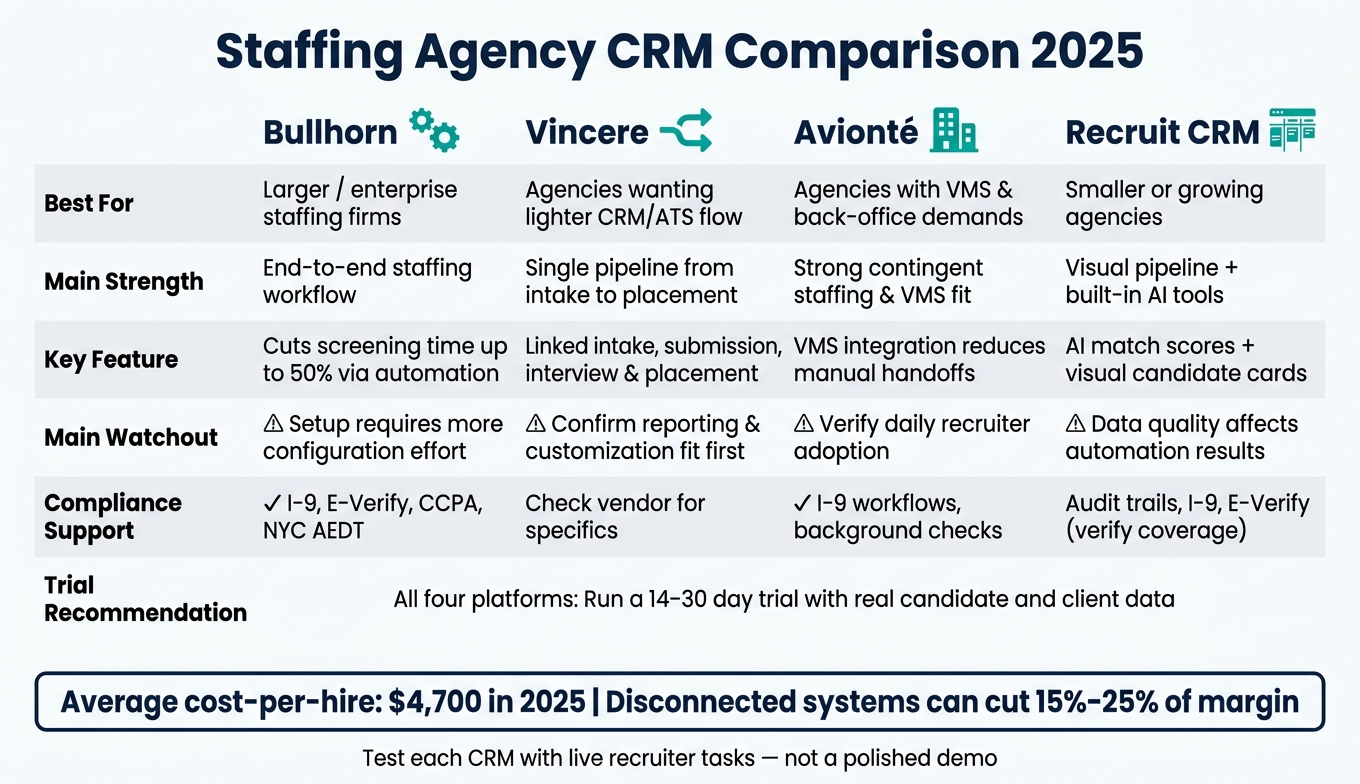
Staffing Agency CRM Comparison: Bullhorn vs Vincere vs Avionté vs Recruit CRM
| Platform | Best For | Main Strength | Main Watchout |
|---|---|---|---|
| Bullhorn | Larger staffing firms | Strong end-to-end staffing workflow | Setup can take more work |
| Vincere | Agencies that want a lighter CRM/ATS flow | Single pipeline for intake to placement | Check reporting and custom setup |
| Avionté | Agencies with VMS and back-office demands | Good fit for contingent staffing flow | Make sure recruiters will use it daily |
| Recruit CRM | Smaller or growing agencies | Clear visual pipeline and built-in AI tools | Data quality affects automation results |
If I were shortlisting vendors, I’d test each one with live recruiter tasks, not a polished demo, and run a 14- to 30-day trial with actual candidate and client data.
1. Bullhorn
Bullhorn gives staffing agencies one place to manage the full hiring cycle: sourcing, engaging, and evaluating candidates. That makes it a strong pick for teams that need a purpose-built ATS/CRM, not a generic sales platform [1]. That distinction matters because a recruitment CRM works differently than a standalone ATS, and knowing which one you actually need shapes the rest of this comparison.
ATS and Workflow Fit
Bullhorn’s real-time pipeline view helps recruiters see candidate and client activity as it happens. That means fewer dropped handoffs, less lost context, and better alignment across distributed teams [1]. Instead of dealing with scattered resumes and patchy notes, recruiters can track candidate progress and client pipeline movement in the same system, which helps speed up placements and keep client tracking clean.
Automation
Bullhorn handles a lot of the repetitive work in candidate screening, including follow-up, status updates, and data entry. As a result, that can cut initial screening time by up to 50% [1]. It also logs communication history for each candidate touchpoint, so recruiters can keep outreach steady and avoid missed messages. Those workflow gains also support Bullhorn’s reporting features.
Reporting and Forecasting
Bullhorn’s built-in analytics show where deals stall and where time-to-fill starts to slip [1]. With that view, team leaders can spot bottlenecks early and shift recruiter time where it’s needed most.
Integrations and Compliance
Bullhorn includes a LinkedIn RSC connection and marketplace integrations for payroll, onboarding, background checks, e-signatures, benefits, and assessments. That helps cut duplicate data entry and reduce admin mistakes [1]. It also supports U.S. compliance workflows that staffing agencies depend on.
The next platform takes a different approach to automation and CRM depth.
2. Vincere
Vincere brings CRM and ATS work together for staffing agencies. Teams can handle intake, submissions, interviews, and placements in one record.
ATS and Workflow Fit
Vincere links job intake, candidate submission, interview scheduling, and placement tracking in a single pipeline. That cuts down on handoff gaps and helps keep client and candidate records in sync at each stage.
The upside is pretty practical: faster submissions, cleaner handoffs, and tighter pipeline control. For high-volume roles, social recruitment campaigns can further accelerate this intake process. Those are the results staffing leaders should look at when sizing up platforms.
The next platform puts more weight on automation and reporting.
3. Avionté
Avionté is a strong fit for agencies that want one system for candidate submissions, client job tracking, and day-to-day recruiter work, especially if they deal with a lot of VMS-driven hiring. The main thing to look at is simple: does its staffing workflow cut admin work without getting in the recruiter’s way?
ATS and Workflow Fit
Avionté’s ATS is built for staffing teams. The big feature to review is its VMS integration, especially for agencies placing contingent workers. That matters because it cuts down on manual handoffs between agency recruiters and client portals.
Instead of bouncing between systems, teams can keep submissions and job tracking aligned in one flow. In plain English, that means fewer extra steps and less back-and-forth for recruiters.
Automation and AI Matching
Avionté uses AI for candidate communication and recruiter tasks. That can help with routine outreach and day-to-day task management, so recruiters aren’t stuck doing every follow-up by hand.
It’s also worth looking closely at its reporting tools. Do they make pipeline gaps easy to spot, or do teams have to dig for answers? The same goes for compliance support. U.S. staffing firms should check whether Avionté covers needs like I-9 workflows and background check steps in a way that fits their process.
For teams that want less operational overhead, the next option takes a lighter approach.
4. Recruit CRM
Recruit CRM is a staffing-focused ATS/CRM built around visual pipelines, automation, and basic integrations. If you’re comparing CRM options for an agency, the big question is simple: can Recruit CRM keep candidate data, submissions, and compliance in one workflow? For staffing teams, the tougher test is whether it helps people submit faster without piling on extra admin work.
ATS and Workflow Fit
Recruit CRM uses visual pipelines to track candidates from applicant to placement. Candidate cards bring resumes, notes, and AI match scores into one view, which makes it easier to see the full picture without bouncing between tabs. For agencies handling multiple clients, the platform supports separate workspaces by client account, helping keep data split cleanly between accounts.
Automation and AI Matching
Recruit CRM uses AI assistants and chatbots for initial screening and follow-up. That can save time up front; however, don’t take match scores at face value. Test match quality against your actual roles, because generic scores don’t always lead to better placements.
Reporting and Forecasting
Look for time-stamped submission records and revenue visibility. Those details matter more than they may seem at first glance. They help document submission ownership and can head off commission disputes before they turn into a mess.
Integrations and Compliance
Recruit CRM connects with email and LinkedIn as a baseline, but you’ll want to check whether that sync covers your day-to-day workflow. For U.S. compliance needs, see whether it supports audit trails, I-9, E-Verify, and record-keeping without workarounds. That’s where the trade-off comes into focus: workflow speed first, then back-office fit.
Pros and Cons
No platform fits every agency. The right pick depends on your hiring volume, client mix, and how much back-office work you need the system to handle.
Start with the table to spot the best fit. Then look at the less obvious downside that comes with each option.
| Platform | Best Fit | Common Overlooked Trade-off |
|---|---|---|
| Bullhorn | Enterprise staffing firms | Setup and configuration demand more effort than lighter systems |
| Vincere | Agencies that want lighter CRM workflows | Confirm reporting and customization fit before you commit |
| Avionté | Agencies with heavier back-office requirements | Verify recruiters will use it daily |
| Recruit CRM | Smaller or growing agencies that want a clear visual pipeline | Automation works best when candidate data is clean and consistently maintained |
If you run one CRM across several client accounts, purpose-built multi-client recruitment software for agencies can complement your CRM by keeping each client’s branding and pipeline separate.
A lot of buyers miss the total cost of switching. License fees are only part of the picture. Migration, retraining, and integration rebuilds can add up fast, and in many cases they cost more than the software itself.
Before you sign, ask each vendor for:
- A realistic implementation timeline
- A reference from an agency your size
That trade-off check can shrink your shortlist fast. And if passive-candidate sourcing is a big part of your process, make sure the CRM connects cleanly to your recruitment marketing stack.
Conclusion
The best staffing agency CRM is the one that fits your recruiters’ day-to-day workflow.
After comparing the four platforms, the choice comes down to workflow fit and channel coverage. Start by matching each platform to how your team recruits. If your agency works with both active and passive candidates, look for a CRM that supports social sourcing, job boards, email, and LinkedIn. Put ATS fit and workflow fit first. Then look at automation, reporting, and integrations.
If passive sourcing matters to your agency, make sure the CRM supports the channels your candidates actually use, not just job boards.
When your shortlist is set, test each CRM with real recruiter tasks, not a polished demo script. Run a 14–30 day trial with actual candidate data. That’s the fastest way to spot friction and see whether the system matches how your team works.
The right CRM helps your team move placements faster, keeps client relationships in view, and gives everyone a single source of truth.
FAQs
How do I know if a staffing agency CRM fits my recruiters’ daily workflow?
Map your current recruiting process, then test the CRM with live roles and actual candidate data for 14 to 30 days.
The big test is simple: does it fit the way recruiters work day to day?
Look for a setup with customizable stages, clear dashboards, easy-to-scan candidate views, smooth ATS syncing, and automation for repeat follow-ups. If the system forces teams to change how they work too much, or if integrations feel clunky, people will stop using it fast.
What integrations matter most for a staffing agency CRM?
Prioritize integrations that pull data into one place and automate day-to-day work, such as:
- Job distribution tools for multi-board posting
- Communication tools like WhatsApp and SMS
- VMS connections such as Fieldglass or Beeline
It also helps to look for calendar sync, SSO, and links to payroll, e-signature, and background check providers. These connections can reduce manual entry, cut errors, and keep the hiring-to-onboarding process moving without extra back-and-forth.
How should I test a staffing agency CRM before signing a contract?
Run a 14- to 30-day trial using your actual hiring workflow. Don’t rely on a canned demo. Map out your current recruiting process, bring in live client data like resumes and job postings, and test the day-to-day details: workflows, permissions, and integrations. That’s how you spot friction, handoff issues, or bottlenecks before they become a headache.
If you work with multiple clients, dig into the setup a bit more. Check for branded environments, true multi-tenancy, and clean separation between client data. You’ll also want to confirm that the interface feels easy to use, data exports come out clean, and the total cost of ownership is clear, including migration, implementation, and training.



Recruitment Agency CRM: A Practical Guide
September 21, 2026[…] Vincere, Recruit CRM, and HubSpot support separate client and candidate pipelines, and our Staffing Agency CRM guide compares how each handles agency-specific workflows. Aim for 5–7 stages per pipeline and set […]