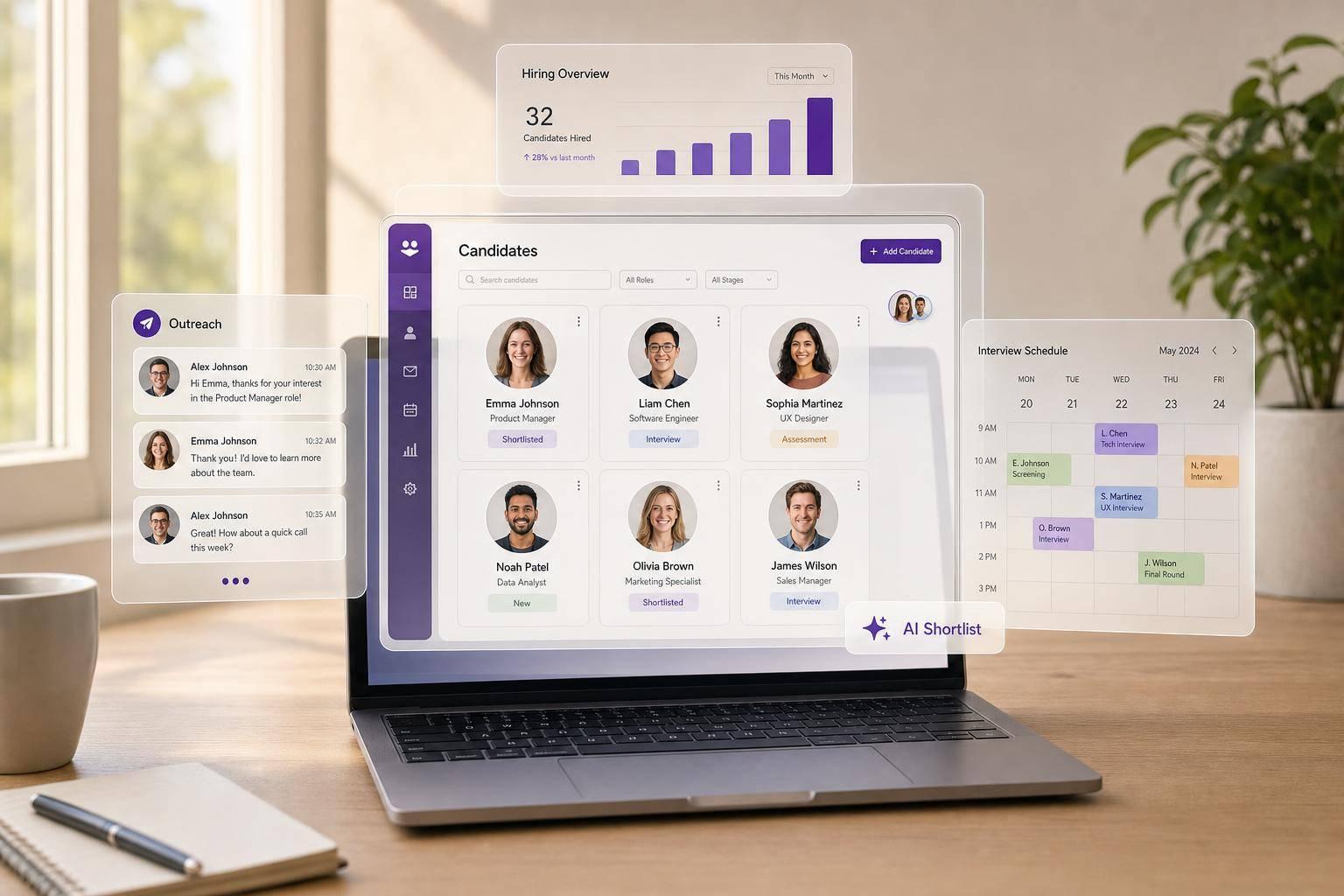

Candidate Management Software: Features That Matter
If your hiring team is slow to reply, loses track of candidates, or can’t tell which source leads to hires, your candidate management software is the problem. I’d focus on a system that keeps every candidate in one record, tracks each stage, automates follow-up, handles scheduling, supports team feedback, and shows funnel and source data.
Here’s the short version:
- One candidate record: resumes, notes, emails, interview history, and stage changes in one place
- Pipeline tracking: clear status, time in stage, and bottlenecks that are easy to spot
- Automation: application replies, interview reminders, rejections, and nurture emails
- Scheduling: self-booking links with Google or Outlook calendar sync
- Team workflows: shared notes, scorecards, tasks, and clear ownership
- Reporting: source quality, applicant-to-interview conversion, pipeline aging, and time-to-hire
- Integrations: job boards, LinkedIn, and HRIS connections to cut manual entry
- AI support: shortlist help and ranking, with human review still in control
A few numbers show why this matters: 50% of candidates say slow hiring is a problem, 47% point to poor communication, and each extra week can cut offer acceptance by 16%. On the scheduling side, teams using AI-driven scheduling reschedule interviews 56% less often.
Before buying candidate management software, I’d also separate three tool types:
| Tool | Main job | Best use |
|---|---|---|
| ATS | Manage applicants for open roles | Structured hiring stages |
| Talent CRM | Keep in touch with past and passive candidates | Nurture and re-engagement |
| Candidate management software | Combine both | Daily hiring plus long-term candidate relationships |
For small teams, the basics may be enough. For teams making 20+ hires per year, I’d put more weight on automation, self-scheduling, talent pools, AI help, and recruiter workspaces.
The main idea is simple: pick the platform that fixes your hiring bottlenecks, not the one with the longest feature list.
Core Features That Matter Most
Centralized Records, Pipeline Tracking, and Candidate Profiles
At the center of good candidate management software is one searchable database with one master profile per candidate.
That profile should include resumes, contact details, work authorization, salary expectations, application history across roles, and a timestamped log of every stage change. Time in stage should also be easy to spot. If a recruiter has to click around to find it, the system is slowing people down.
This is where drag-and-drop pipeline views earn their keep. Recruiters can move candidates from one stage to another, and each change gets logged on its own. Day to day, that keeps the process simple. It also gives teams a clear view of where things stall. If candidates keep getting stuck while waiting for onsite scheduling, the dashboard should show that right away.
Strong filtering matters too. Teams should be able to sort by skills, location, source, tags, or years of experience without digging through messy records. Duplicate checks through email or LinkedIn recruitment funnels also cut down on wasted time by stopping teams from re-sourcing people they already have in the system. Once records are clean, automation and reporting are far more dependable.
Automated Communication and Interview Scheduling
Manual follow-up slows everything down.
Stage-based email automation helps by sending the right message at the right time. That can mean an application confirmation as soon as someone applies, an interview reminder 24 to 48 hours before the meeting, or a prompt rejection for candidates who aren’t moving ahead. Nurture sequences can also keep past finalists and passive candidates warm for later roles, which can improve response rates when a matching opening comes up.
Scheduling is another place where teams lose time. Self-scheduling links tied to Google Calendar or Outlook cut out the usual back-and-forth. Candidates choose from actual open time slots, the system sends the invite, and reminders go out on their own.
The payoff can be big. Teams using AI-powered scheduling reschedule interviews 56% less often than teams scheduling by hand, with most reschedules finished in under eight hours [2]. Those same interactions also leave behind cleaner timing data, which makes reporting more useful.
Collaboration, Analytics, AI Assistance, and Integrations
Hiring gets messy fast when feedback is scattered across email threads.
Shared notes, structured scorecards, and role-based permissions keep evaluation in one place. Scorecards with standard criteria make candidate comparisons more consistent, while task assignments and @mentions help move work along without extra follow-up. That structure also makes funnel reporting and source analysis easier to trust.
AI can help here too, especially with matching and ranking candidates by skills and experience so recruiters can build shortlists faster. But it should stay in a support role. Recruiters need to be able to review and override suggestions, and the system should stick to job-related criteria only.
On the reporting side, dashboards should show:
- Funnel conversion at each stage
- Source effectiveness
- Time-to-hire in days
- Pipeline aging
Integrations matter just as much. Connections with job boards, LinkedIn, and HRIS tools let teams move application and hire data without retyping it. That covers application intake, scheduling, and hire-data transfer in one flow from application through onboarding.
Best ATS Software 2026: Top Applicant Tracking Systems for Small, Midmarket, and Enterprise
How These Features Fix Common Recruiting Problems
Candidate management software features matter when they clear the bottlenecks that drag out hiring.
Slow Follow-Up and Poor Candidate Experience
Slow hiring and weak communication push candidates away. In fact, 50% cite slow processes, 47% cite poor communication, and every extra week cuts offer acceptance by 16% [1][3][4].
Automated communication helps fix that fast. When a candidate moves to a new stage, the system can send a confirmation or next-step email right away, with no extra recruiter work. Automated templates, self-scheduling, and SLA alerts keep replies moving and help teams avoid long silences.
That same speed matters during handoffs too. If no one knows who owns the next step, the pipeline can still stall even when messages go out on time.
Disorganized Pipelines, Duplicate Data, and Weak Handoffs
When candidate data is split across spreadsheets, email threads, and shared drives, it gets messy in a hurry. Resumes disappear. Ownership gets fuzzy. Hiring managers wait on recruiters, and recruiters wait on hiring managers.
Centralized profiles and standard pipeline stages clean this up by giving teams one candidate record and cutting down on duplicate entries. Every resume, note, scorecard, and status update lives in one place. Role-based permissions make ownership clear. Task assignments with due dates replace casual handoffs, so next steps are easy to see and track. Due-date tasks and feedback SLAs also help cut stalled handoffs and move decisions along.
Once the workflow is cleaned up, analytics make it easier to see which sources and career pages are pulling their weight.
Poor Visibility Into Source Quality and Funnel Conversion
Most teams can tell you how many applications came in. Fewer can tell you which sources lead to hires.
Funnel analytics show where candidates drop off and which sources convert. Building recruitment marketing funnels helps track these conversions from the first touchpoint. When recruiting spend data is connected too, platforms can show cost-per-hire by source, which makes budget calls much easier to explain. That gives teams a clear way to put more budget into sources that drive hires, not just applicants.
What To Look For in Candidate Management Software
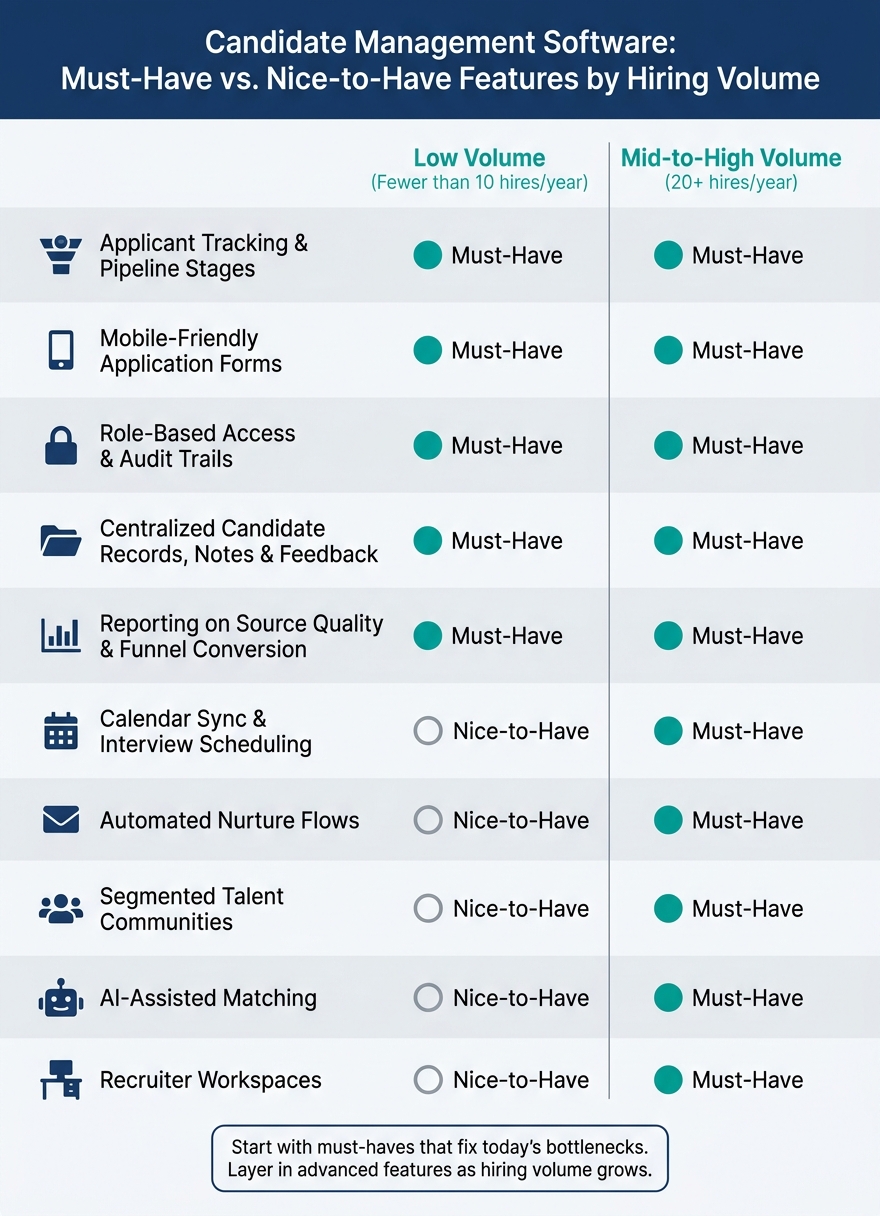
Candidate Management Software: Must-Have vs. Nice-to-Have Features by Hiring Volume
Buy candidate management software based on workflow fit, not the length of a feature list. If a platform doesn’t fix slow follow-up, messy pipelines, and weak conversion tracking, it won’t change hiring results. For mid-sized and larger U.S. hiring teams, that means testing actual workflows, not just skimming a vendor page.
At a minimum, candidate management software should support approvals, posting, intake, screening, scheduling, feedback, offers, and HRIS handoff. Use the checklist below to tell the difference between tools that fit your process and tools that just look good on paper.
Must-Have Capabilities for Day-to-Day Recruiting
It starts with customizable workflow stages. Your platform should match how your team hires in real life. Maybe that means a lean path for hourly roles. Maybe it means a more layered process for specialized positions. Either way, rigid pipelines create workarounds, and workarounds slow everyone down.
Search and filtering matter just as much. This is often the line between teams that can rediscover strong candidates and teams that keep sourcing from zero. Filters for skills, location, tags, disposition reason, and source help recruiters reuse past candidate data instead of rebuilding the pipeline every time.
The platform should also keep candidate notes and feedback in one place, with role-based access controls and audit trails. On top of that, look for reporting on source quality, time-to-fill, and funnel conversion. If candidates are dropping off, you need to know where it’s happening.
For high-volume hiring, a mobile apply flow is non-negotiable. According to Phenom‘s 2025 State of Candidate Experience Report, only 82% of career sites provide an easy mobile apply process in three steps or less [5]. If you’re hiring for hourly or frontline roles, a clunky mobile form can cost you applicants before they even finish.
Recruitment Marketing Features That Support Better Conversion
Once your tracking is in place, the next step is conversion. Most teams spend a lot of time thinking about where candidates come from. Fewer spend enough time on what happens after someone clicks a job link.
That’s where high-converting job pages and smart forms come in. They help improve visit-to-apply conversion, which matters when candidates drop off between the ad click and the completed application. Talent communities and nurture flows push this further. They let you capture people who are interested but not ready to apply yet, then stay in touch until the right role opens up.
Must-Have vs. Nice-to-Have Features by Hiring Volume
The right feature mix depends a lot on hiring volume and process complexity. Here’s a practical way to look at it:
| Capability | Low Volume (<10 hires/yr) | Mid-to-High Volume (20+ hires/yr) |
|---|---|---|
| Applicant tracking & pipeline stages | Must-Have | Must-Have |
| Mobile-friendly application forms | Must-Have | Must-Have |
| Role-based access & audit trails | Must-Have | Must-Have |
| Calendar sync & interview scheduling | Nice-to-Have | Must-Have |
| Centralized candidate records, notes & feedback | Must-Have | Must-Have |
| Reporting on source quality & funnel conversion | Must-Have | Must-Have |
| Automated nurture flows | Nice-to-Have | Must-Have |
| Segmented talent communities | Nice-to-Have | Must-Have |
| AI-assisted matching | Nice-to-Have | Must-Have |
| Recruiter workspaces | Nice-to-Have | Must-Have |
This kind of breakdown makes feature prioritization much easier. Instead of treating every feature the same, tie each one to the hiring problem it solves. Focus first on the capabilities your team needs to hire well today. Then add more advanced options like AI matching, segmentation, and recruiter workspaces once your core process is steady and your hiring volume makes the added complexity worth it.
A Simple Framework for Choosing the Right Features
Use the must-haves above as your filter. Then score each platform based on the recruiting problems it helps fix.
Start with your bottlenecks, not a long feature checklist. Before you review any candidate management software, write down your main recruiting pain points: slow follow-up, scheduling delays, lost candidates, or weak reporting. Then ask a simple question for each one: which feature group directly fixes this?
That one shift makes vendor demos much more useful. Instead of sitting through a generic pitch, you can test whether the platform helps with the parts of hiring that slow your team down.
Feature-to-Problem Comparison Table for Software Evaluation
Here’s a simple scorecard. Match your actual pain points to the feature groups that address them, then weigh your review around those areas.
| Feature Group | Hiring Problem It Solves | Outcome It Improves |
|---|---|---|
| ATS Tracking | Disorganized pipelines; duplicate data | Clear candidate status; data integrity |
| Talent CRM | Rebuilding sourcing from scratch | Faster repeat-role sourcing |
| Automation | Slow follow-up; candidate ghosting | Faster first contact |
| Self-Scheduling | Back-and-forth email coordination | Less interview back-and-forth |
| Collaboration | Slow handoffs; inconsistent feedback | Faster decisions; better hire quality |
| Analytics | No visibility into your recruitment funnel or drop-off | Optimized recruitment spend; clear funnel conversion |
| AI Assistance | High application volume; manual review | Faster shortlisting; reduced review time |
| Integrations | Fragmented tools; manual data entry | Seamless workflow; less admin work |
After scoring, verify the workflow in a live demo. Don’t settle for slides. Ask the vendor to walk through a real process: post a role, move a candidate, and reschedule an interview.
Conclusion: The Features That Drive Faster Hiring and Better Candidate Management
The best candidate management software brings tracking, automation, scheduling, collaboration, analytics, and talent pooling into one workflow.
Pick the system that fits your process, works with your current tools, and gives recruiters a clear view from first touch to hire.
FAQs
How is candidate management software different from an ATS?
An ATS mainly handles the admin side of recruiting. It stores and organizes candidate data, tracks hiring metrics, and helps with compliance.
Candidate management software covers more ground and puts more weight on relationships. It helps teams engage candidates, build talent pools, and nurture those connections with personalized communication, team collaboration tools, and CRM-style features that improve the candidate experience.
Which features matter most for a small hiring team?
For a small hiring team, automation, simplicity, and visibility matter most.
A centralized applicant tracking system keeps every candidate in one dashboard, so the process feels less scattered and much easier to manage. Instead of juggling spreadsheets, inboxes, and notes, the team can see where each person stands at a glance.
Mobile-first application forms also make a big difference. When it’s easy to apply on a phone, fewer candidates drop off halfway through. That means less friction for applicants and a smoother flow of new people into the pipeline.
On the time-saving side, automated screening, AI-driven ranking, and interview scheduling can take a lot of manual work off the team’s plate. Those features help recruiters move faster without getting buried in admin tasks.
Real-time analytics add the visibility small teams often need. They make it easier to spot bottlenecks, see what’s slowing hiring down, and make better calls based on what’s happening right now.
How can I tell if the software will fix our hiring bottlenecks?
Check whether the software gives you real-time visibility into each stage of recruitment. You should be able to see, at a glance, where candidates drop off and where the process starts to slow down.
It also helps if the platform includes automated reporting for time-to-hire and conversion rates. Good dashboards make problems easier to spot, like slow screening or scheduling bottlenecks, so your team doesn’t have to lean on spreadsheets or gut instinct.