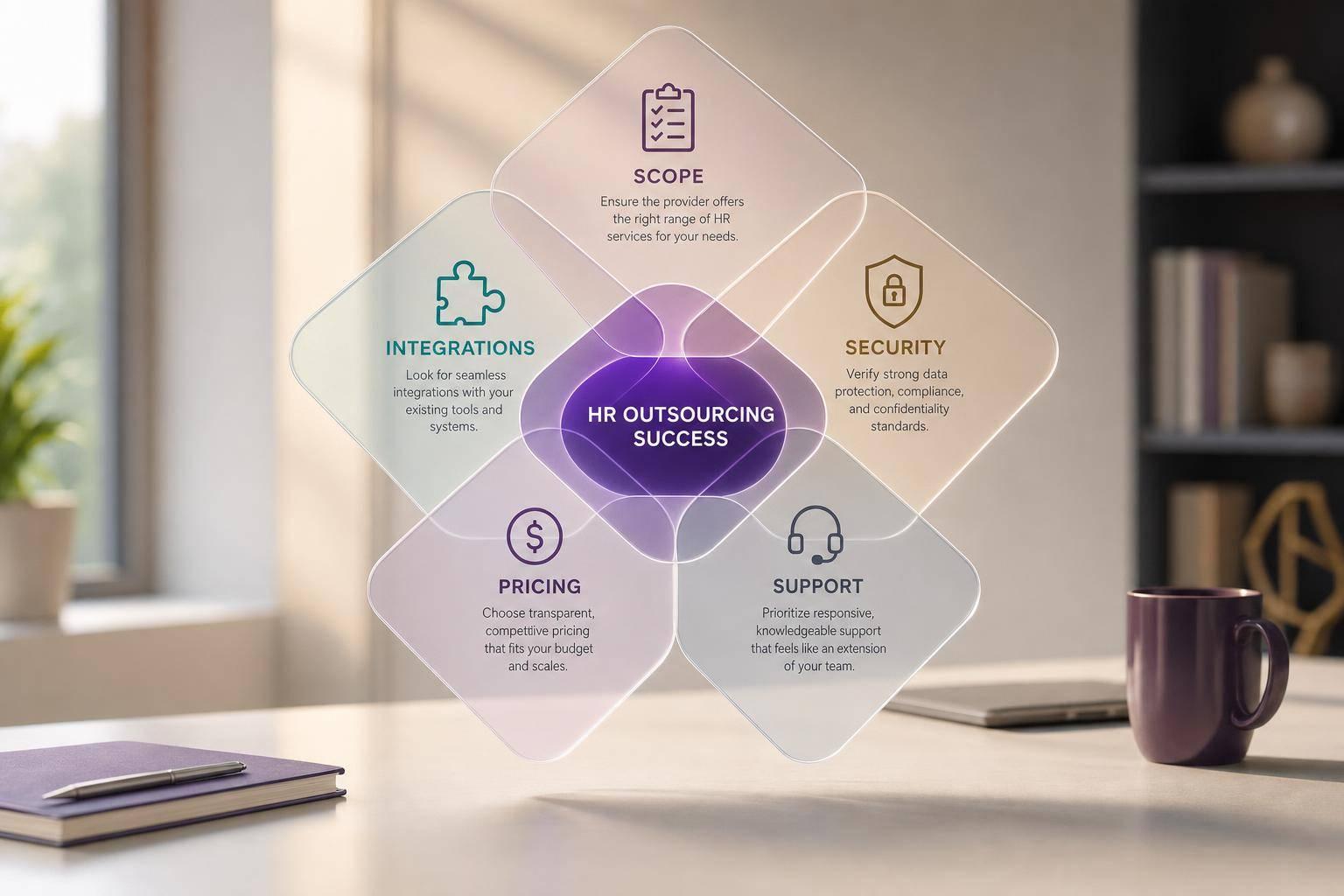

If I were picking an HR outsourcing provider, I’d focus on five things first: scope, integrations, security, pricing, and support. That’s because payroll errors, missed compliance tasks, and slow hiring usually come from the same problem: too many disconnected systems and unclear service terms.
Here’s the short version:
- I’d define my HR problems before looking at vendors
- I’d match each provider’s services to those problems
- I’d check whether payroll, HRIS, ATS, and reporting work together
- I’d ask for written SLAs, clear fees, and proof of data controls
- I’d score each provider on fit, not just price
A few numbers make the case plain:
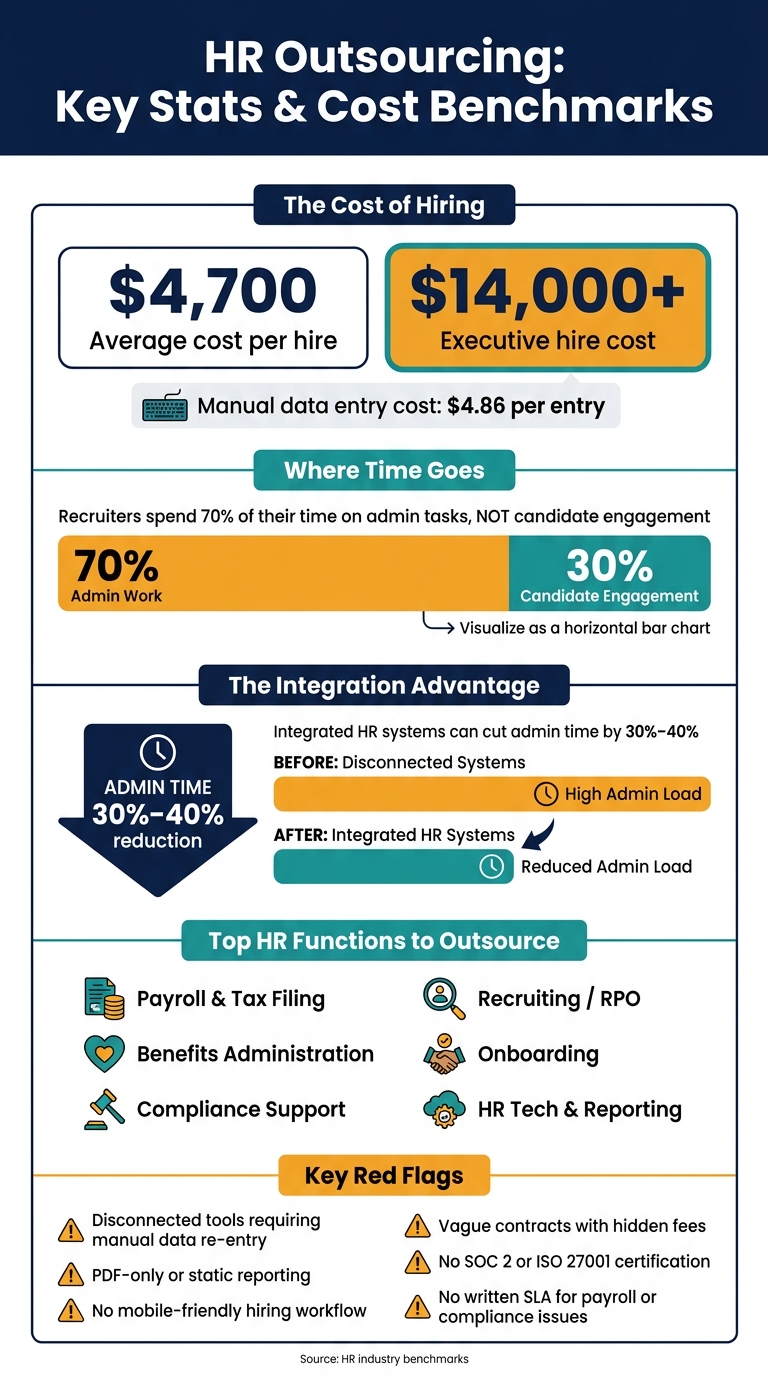
- The average cost per hire is about $4,700
- Executive hires can go past $14,000
- Recruiters spend about 70% of their time on admin work
- Integrated systems can cut admin time by 30%–40%
- Manual data entry costs about $4.86 per entry
What I’d look for in a provider:
- Payroll and tax filing
- Benefits admin
- Compliance support
- Recruiting help
- Onboarding
- Reporting access
- System integrations
- Security records
- Implementation help
What would worry me:
- Separate tools that force repeat data entry
- Weak reporting or PDF-only reports
- No mobile-friendly hiring flow
- Vague contracts
- Extra fees that show up later
- No SOC 2 or ISO 27001 proof
- No written response-time promise for payroll or compliance issues
A simple way to judge providers is to compare them on the same points every time.
| Area | What I’d check |
|---|---|
| Scope | Payroll, benefits, compliance, onboarding, recruiting |
| Tech | HRIS, ATS, payroll, accounting connections |
| Security | Role-based access, SOC 2 or ISO 27001, data handling docs |
| Cost | Base fee, setup, migration, support, recruiting charges |
| Service | Response times, issue handling, trainer, rollout plan |
| Fit | Multi-state support, growth, hiring volume, locations |
So my main takeaway is simple: I wouldn’t choose the biggest package or the lowest price. I’d choose the provider that fixes the exact HR gaps I have now, works with my systems, and can handle growth without adding more manual work.
HR Outsourcing: Key Stats & Cost Benchmarks
HRHTShould You Outsource HR? | Benefits, Costs, and When It Makes Sense | HR Hot Topics
1. Define your HR problems before comparing providers
Before you compare providers, get clear on the HR problems that matter most. Feature lists don’t tell you much until you know what you’re trying to fix. Start with the HR functions that create the most friction for your team.
Which HR functions are commonly outsourced
The functions most often outsourced include payroll and tax filing, benefits administration, compliance support, RPO, onboarding, and HR tech support. Some providers handle all of these. Others focus on only one or two. That’s why it helps to know which categories fit your situation before you start shortlisting vendors.
Match service types to your actual business needs
Match the service to the problem in front of you.
If payroll errors are causing headaches, look for embedded payroll that connects straight to your HR system. Manual data entry costs an average of $4.86 per entry [1], and those mistakes can pile up fast as your team grows.
If benefits administration is the weak spot, focus on systems that keep benefits and payroll data synced. That cuts down on duplicate work and lowers the odds of mismatched records.
If compliance is the bigger issue, look for support for data privacy rules, along with audit trails and documented controls for automated workflows.
If your recruiting team is buried in admin work, recruitment process outsourcing may free up time where it matters most. Recruiters spend roughly 70% of their time on administrative tasks, not candidate engagement [1].
Internal details to document before you start
Before you contact any provider, pull together a short internal brief. Keep it simple, but make sure it covers the basics:
- Current headcount
- Projected hiring volume
- Current HR tools
- Federal and state compliance obligations
- Current internal hiring costs
- External fees
- Whether you need help with one function or a broader HR operating change
- Whether you need support across multiple locations, teams, or peak hiring periods
This step keeps comparisons honest. Without it, one proposal may look cheaper or broader simply because it solves a different problem.
Bring recruiters and hiring managers into demos early. They can test the workflow, spot rough edges, and flag adoption issues before you get too far down the road.
Use the brief to compare providers against the HR gaps you need to solve. With that in place, the next step is lining up provider features against actual business needs.
2. What to look for in an HR outsourcing provider
Use your internal brief to screen providers. Start with scope. Then check the tech stack and security controls behind it.
Core service features that should be clearly defined
Every provider should spell out the exact deliverables. That means payroll, tax filing, benefits, compliance, onboarding, reporting, and support response terms should all be written into the contract.
You should also require on-demand access to headcount, benefits, and audit-trail data. If that access is vague, that’s a red flag.
And if a provider can’t clearly show how reporting works, note it. In practice, that usually turns into delays, back-and-forth emails, and missing data when you need answers fast.
Technology, integration, and data security requirements
Technology matters just as much as service scope. Require payroll that connects cleanly with your HRIS, ATS, and accounting tools. If the platform doesn’t integrate, your team will end up moving data by hand across systems. At that point, outsourcing starts to lose its value.
On the security side, ask providers directly about:
- Role-based access controls
- Data handling documentation
- Third-party certifications like SOC 2 or ISO 27001
Treat these as minimum requirements for any provider handling employee data. If a provider can’t produce documentation on its security controls, move on.
Recruitment support and digital hiring workflows
If recruiting is outsourced, don’t stop at sourcing. Require clear workflows for screening, interview scheduling, and onboarding handoff. Also confirm ATS integration and clean data transfer.
Use this checklist to compare pricing, implementation effort, and support in the next section.
3. How to compare providers on cost, service quality, and fit
When you compare providers, look at total cost, service quality, and fit side by side. That’s how you separate the cheapest proposal from the partner that’s less likely to cause problems later.
Compare pricing models and total cost
Start with one plain question: What does the base fee actually include?
Some providers keep the monthly fee low, then add charges for the things you thought were part of the deal. That’s why you need to ask what counts as an extra charge and what does not. Check whether implementation, migration, compliance updates, or recruiting support are billed separately. Then add everything up before you sign.
If recruiting is part of the offer, pin down the pricing model early. For example, is it:
- per hire
- monthly
- bundled
That detail matters. A provider can look cheap at first glance and still cost more once those add-ons hit the invoice.
Assess responsiveness, scalability, and implementation support
Service quality shows up fast when something goes wrong. You’ll see it in response times, issue resolution, and implementation support.
For urgent payroll and compliance issues, get the response-time SLA in writing and put it in the contract. If a provider won’t commit to that on paper, that’s a red flag.
You should also check how support will change as your business grows. Payroll issues, compliance needs, hiring volume, and expansion plans don’t stay still. If you expect growth, the provider should be able to support multiple locations or entities without turning every change into a fire drill.
Implementation support matters too. A smooth rollout usually means less confusion, fewer delays, and less back-and-forth with your team. At a minimum, look for implementation support that includes a dedicated trainer and a clear rollout timeline.
Use a provider scorecard before deciding
Before you make a final call, score each provider against your top priorities. Give each category an importance weight so the final score reflects what matters to your business, not just which proposal looks the nicest on the surface.
Low scores in these areas often come back later as contract problems.
| Criteria | Importance (1–5) | Minimum Requirement | Provider Rating (1–10) |
|---|---|---|---|
| Payroll Accuracy | 5 | 99.9% accuracy; automated tax filing | |
| Compliance Depth | 5 | Federal, state, and local compliance updates | |
| Data Security | 5 | SOC 2 or ISO 27001; SSO support | |
| Pricing Transparency | 4 | No hidden implementation or migration fees | |
| Responsiveness | 4 | Written SLA for critical payroll and compliance issues | |
| Scalability | 4 | Supports multiple locations or entities | |
| Technology Integration | 4 | Open API; SSO support | |
| Recruiting Support | 3 | Defined workflows for screening, scheduling, and onboarding handoff | |
| Implementation Support | 3 | Dedicated trainer assigned; clear rollout timeline |
Fill this out for each provider you’re seriously considering. Then use the scores to narrow your shortlist and flag contract risk before moving ahead.
4. Red flags that can create new HR problems
Watch for three red flags: fragmented tools, weak reporting, and poor mobile workflows. Your scorecard should help you rule out providers that add manual work instead of taking it off your team’s plate.
Service and contract warning signs
When a provider uses separate tools for screening, scheduling, and payroll, your team usually ends up stitching data together by hand. That often leads to more manual work, more mistakes, and slower hiring.
For high-volume or retail recruiting, weak mobile application workflows can turn candidates away fast [3].
The same shaky setup tends to show up in reporting and access control too.
Compliance and data security red flags
Ask a simple question: do the ATS, HRIS, and payroll systems share one record, or does your team have to enter the same data again across different systems [2][5]?
Healthy indicators versus warning signs: a side-by-side view
| Area | Healthy Indicator | Warning Sign |
|---|---|---|
| Integrations | One shared record across ATS, HRIS, and payroll [2] | Disconnected tools requiring manual data entry and reconciliation [5] |
| Reporting | Real-time, branded dashboards with source-of-hire tracking [4] | Static PDF reports or inability to track source of hire |
| Mobile Experience | Mobile-friendly application and onboarding | Application flow breaks on mobile or requires desktop-only steps [3] |
These warning signs should lower a provider’s score before you make the final call.
Conclusion: Choose the provider that fits your workforce, hiring model, and growth plan
After looking at scope, tech, cost, and warning signs, the next step is simple: pick the provider that fixes your most pressing HR gaps.
Go with the service scope you actually need – not the biggest package and not the cheapest sticker price. Check that it works with your current systems, and make sure it can keep up as your company grows. That fit matters more than a flashy bundle or a low headline rate.
The right HR outsourcing partner can lower risk, cut admin work, and support your growth.
FAQs
When should I outsource HR?
Outsource HR when your organization needs better efficiency, is growing fast, or has to stay compliant without adding more in-house staff.
It also makes sense when hiring demand or admin work starts to pile up. For example, payroll, benefits, and multi-location compliance can get hard to manage fast. The same goes for teams stuck handling repetitive work like resume screening or onboarding.
You may also want outside HR help when you need specialized support with data security, reporting, or HR tech integration.
How do I compare total provider costs?
Compare total cost of ownership, not just the monthly fee. A low sticker price can look good at first, then hit you later with setup costs, migration work, training, support, and paid extras.
Ask for a full cost breakdown that includes:
- implementation
- data migration
- training
- ongoing maintenance
- optional add-ons like AI modules, compliance tools, and third-party integrations
It also helps to review the tools you already pay for. In a lot of cases, teams end up with overlap across software subscriptions. Cleaning that up can cut costs by 30% to 50%.
One more thing: check the contract for clean data export. If that part is vague, you could run into vendor lock-in or steep migration fees down the road.
What are the biggest HR outsourcing red flags?
Key red flags include poor transparency, weak security, thin compliance support, and slow or unhelpful service. If a provider can’t show certifications like ISO 27001 or SOC 2 Type II, explain its encryption and access controls in plain English, or share clear service level agreements and data processing agreements, that’s a warning sign.
You should also watch for poor data portability, proprietary lock-in, weak client data protection, and no regular bias audits for AI-driven processes. On paper, those issues can look small. In practice, they can lead to security, legal, and reputational risk fast.