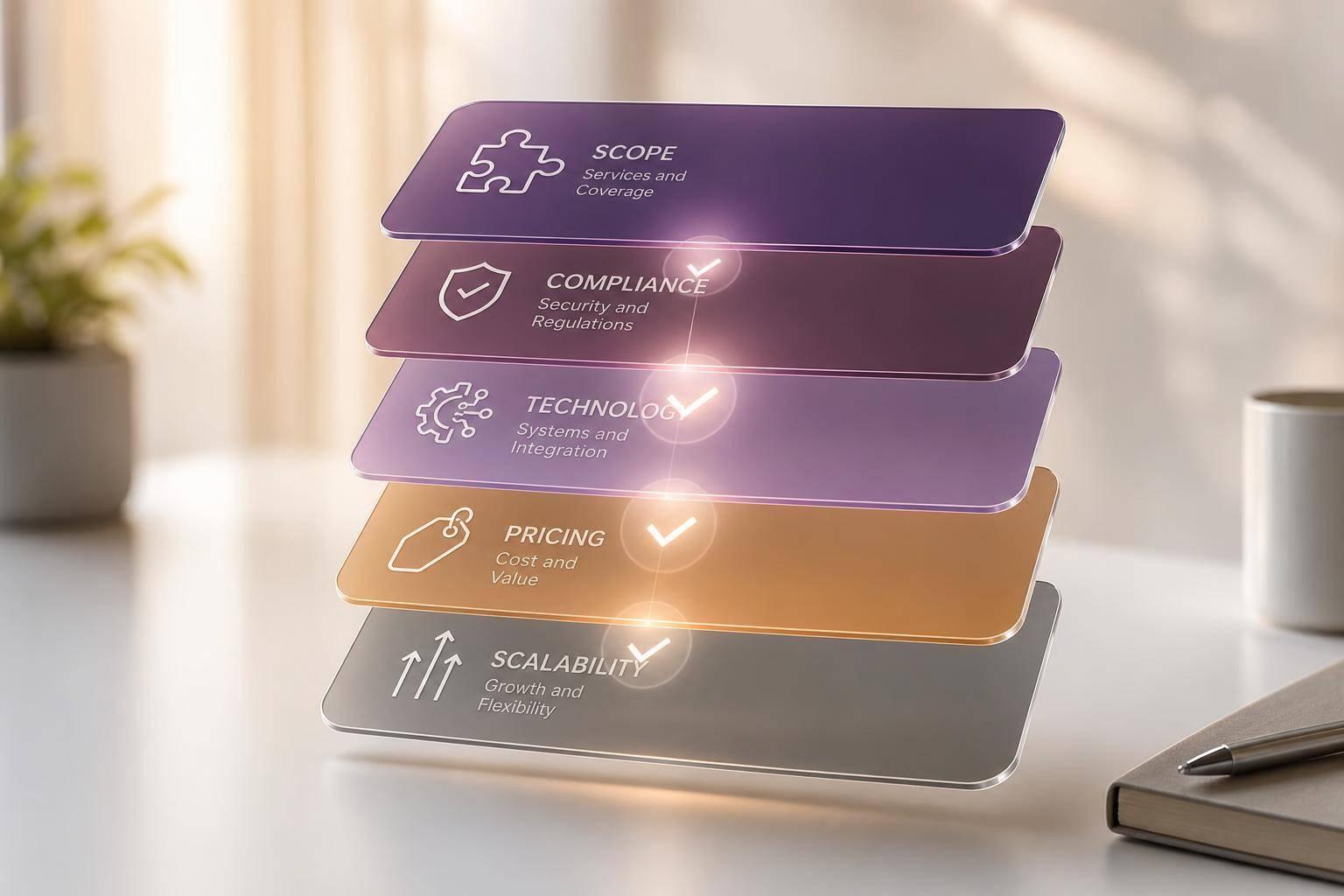

How to Compare HR Outsourcing Companies
The short answer: don’t compare HR outsourcing companies by price or demos first. Compare them by fit. I’d use the same checklist for every provider and score five areas: service scope, compliance, tech fit, pricing, and room to grow.
If I were choosing among HR outsourcing companies today, I’d keep the opening review simple:
- List the HR work I need help with
- Mark what stays in-house and what moves out
- Check multi-state, tax, privacy, and recordkeeping support
- Review integrations with payroll, HRIS, ATS, time tracking, and accounting
- Compare total cost, not just the monthly rate
- Read SLA terms, support hours, and exit clauses
- Test each vendor against a hiring-growth scenario
That matters because hidden costs often sit outside the base fee. A vendor with a lower $12 PEPM rate can still cost more than one at $18 PEPM if setup, custom reports, year-end filings, and support are billed on top. And if your team hires across several states, one payroll error can cost far more than the savings from a cheaper quote.
A good review process should tie back to results you can track, such as:
- Cost per hire
- Time to hire
- Retention
- Service error rate
- Source quality
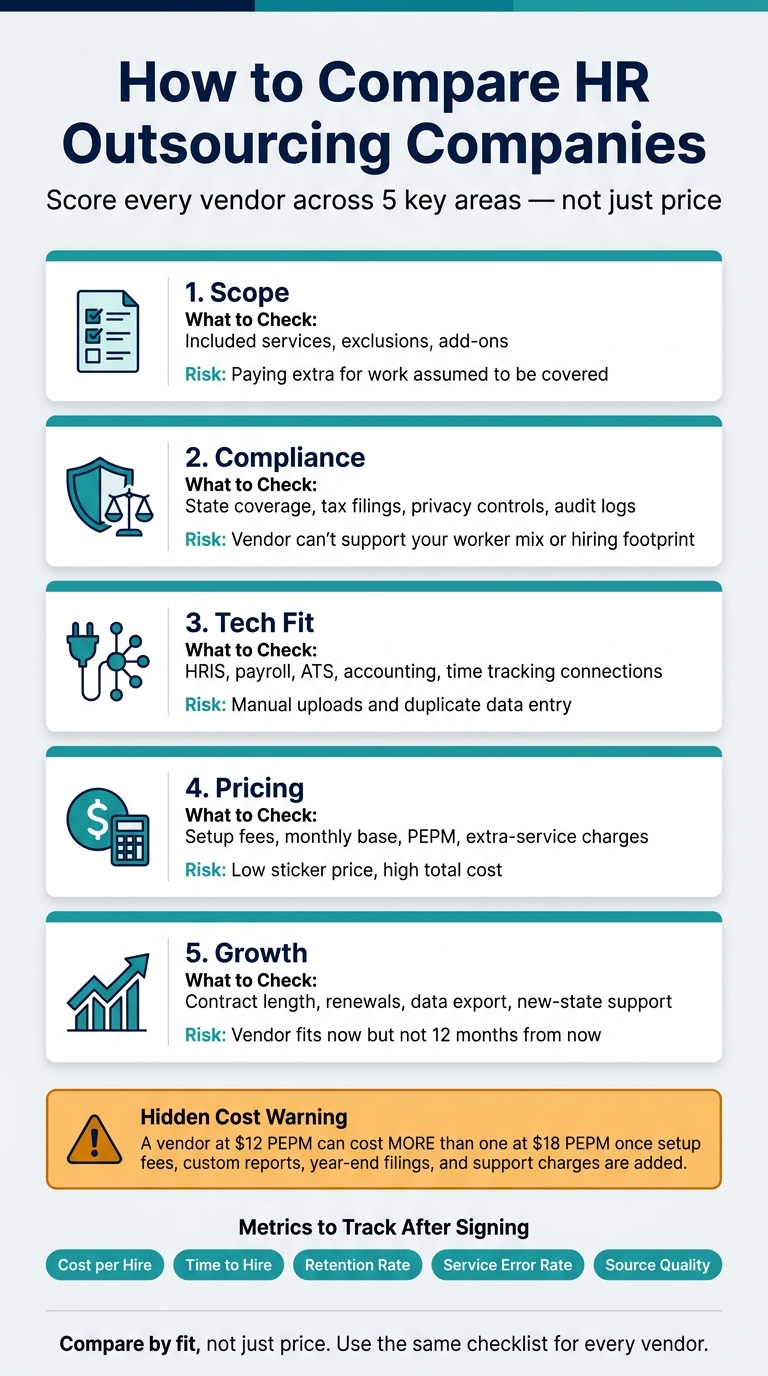
How to Compare HR Outsourcing Companies: 5-Area Vendor Scorecard
The Best HR Outsourcing (HRO) Services
Quick Comparison of HR Outsourcing Companies
| Area to Compare | What I’d Check First | Common Risk |
|---|---|---|
| Scope | Included services, exclusions, add-ons | Paying extra for work I assumed was covered |
| Compliance | State coverage, tax filings, privacy controls, audit logs | Vendor can’t support my worker mix or hiring footprint |
| Tech Fit | HRIS, payroll, ATS, accounting, time tracking connections | Manual uploads and duplicate data entry |
| Pricing | Setup fees, monthly base, PEPM, extra-service charges | Low sticker price, high total cost |
| Support | SLA terms, correction windows, escalation path | Slow help during payroll or filing issues |
| Growth | Contract length, renewals, data export, new-state support | Vendor fits now but not 12 months from now |
When you compare HR outsourcing companies, I’d treat the final choice like a side-by-side audit, not a sales pitch. The best provider is usually the one that matches how you hire, pay, onboard, and support employees every day.
1. Define the HR services you need and compare scope line by line
Start by building a clear service list, using our guide to what HR outsourcing covers as a reference. Then label each item as required, optional, or internal.
That simple step makes vendor comparisons much easier. Instead of looking at a glossy package and guessing what’s included, you can match each service to an actual need.
List what stays in-house versus what gets outsourced
Send repeatable work out first. Keep strategy, branding, and policy decisions in-house.
Payroll processing, initial candidate screening, and automated onboarding are strong candidates for outsourcing. Employer branding and content creation usually belong inside your team, where you can protect quality and brand voice.
After you define the service list, assign ownership for every handoff. Write down who owns what, where work changes hands, and who steps in when something goes wrong. Do this before you sign anything.
Also, look for duplicate functions across your current tools and the vendor’s scope. If two systems do the same job, you’re paying twice. Folding overlapping features into one outsourced provider can cut costs, but only if you spot the overlap early.
Compare included services, exclusions, and add-on fees
Ask each of the HR outsourcing companies for a detailed scope breakdown, then review them side by side. Base packages almost never cover everything.
Year-end tax filings, custom reports, and specialized local filings are often billed separately. That’s where a low starting price can turn into a bigger bill than expected.
Use the vendor’s base package and add-ons as a direct comparison point:
| Service Category | Typically Included in Base | Often Billed as Add-On |
|---|---|---|
| Payroll | Basic processing, tax filing | Year-end filings, custom reporting |
| Recruiting | Job board posting, basic ATS | Candidate screening automation, paid job-ad distribution |
| Onboarding | Digital document storage | Custom training modules |
| Compliance | GDPR/CCPA tools, audit logs | Bias audits for AI, specialized local filings |
| Integrations | Standard API access | Custom webhooks, premium third-party connectors |
Flag every optional module and each separate line item. That’s usually where cost gaps hide.
2. Check compliance support, industry experience, and geographic coverage
After scope, make sure the provider can handle the compliance work that comes with it.
Match the provider to your industry, workforce type, and states
Match the provider to your worker types, industry, and operating states.
Not every one of the HR outsourcing companies on your shortlist is built for every workforce. You need to confirm that the provider has experience with your worker mix, whether that means hourly employees, salaried staff, or professional and knowledge-worker teams.
It also helps to ask direct questions. Do they work with companies in your industry right now? Do they understand the compliance issues that matter most to your business? That part matters more than many teams expect.
Geographic coverage matters too. If you hire across multiple states, confirm that the provider can manage multi-state tax calculations and filings in-house. Ask which states they support and whether there are any limits that could get in the way of your hiring plans.
Ask for proof of compliance processes and escalation paths
Ask for written proof, not promises. During evaluation, request the following in writing:
| Compliance Area | What to Request | Why It Matters |
|---|---|---|
| Tax & Payroll | Documented filing workflows, system-generated payroll logs | Reduces errors in salary and state-level tax calculations |
| Data Privacy | GDPR/CCPA controls or audit results, encryption standards | Prevents legal penalties and data breaches |
| Recordkeeping | Audit logs and backup schedules | Ensures data integrity and regulatory readiness |
| Support | Service Level Agreements (SLAs), support hours and response-time records | Guarantees uptime and rapid issue resolution |
That paper trail tells you a lot. It shows whether the provider has a working process or is just talking a good game.
Also ask how it tracks law changes and updates workflows. Get a clear answer on who your escalation contact is, what response times you can expect, and how compliance errors are escalated, corrected, and reported.
Once compliance is clear, compare how each platform connects to your HR systems.
3. Compare technology fit, integrations, and reporting depth
Once compliance is settled, look at how each platform fits into your day-to-day work. If the system feels clunky or doesn’t connect well with the rest of your stack, your team ends up doing more manual work. And that gets old fast.
Review platform usability, self-service, and AI-driven reporting
Start with the basics. Can HR admins handle routine tasks on their own, without calling support every time? Can employees update personal details, check pay stubs, or request time off from a phone? Good self-service tools cut down the steady stream of small, repeat questions that hit HR every week.
Then look at reporting. This is where the gap between basic dashboards and AI-driven analytics starts to matter. AI-based reporting can spot trends, hiring slowdowns, and recruitment funnel patterns that connect back to your scorecard metrics, like cost per hire, source quality, retention, and service error rates.
| Feature | Traditional Reporting | AI-Driven Analytics |
|---|---|---|
| Data Type | Historical/reactive | Predictive/proactive |
| Manual Effort | High (manual exports, spreadsheets) | Low (automated dashboards, AI summaries) |
| Compliance Tracking | Manual audit trails | Automated bias and diversity reporting |
| Candidate Sourcing | Last-click attribution | Blended multi-touch attribution |
| Screening | Keyword matching | Machine learning/skill-based ranking |
Ask each of the HR outsourcing companies on your list to show a live dashboard demo. Screenshots won’t cut it. You want to see how the reports work in practice and whether the level of detail lines up with what your team will use.
Check integration readiness across HRIS, payroll, accounting, time tracking, and ATS tools
Say no to manual uploads. Push for real-time sync through APIs and webhooks across your HRIS, payroll, accounting, time tracking, ATS, and benefits systems.
Before you sign, map out your current tools and ask direct questions: Which integrations are already supported? Are manual uploads still part of the process? If something breaks, who handles the fix? That extra manual work may seem small at first, but it often turns into higher support costs later.
| Integration Area | What to Verify | Watch Out For |
|---|---|---|
| HRIS & Payroll | Native sync, real-time data flow | Batch-only processing, manual reconciliation |
| Accounting | Automated export/import | Manual entry or repeated uploads |
| Time Tracking | Automated hours-to-payroll connection | Disconnected systems requiring duplicate entry |
| ATS | Native or API-based connection | Manual applicant data uploads |
| Benefits Administration | Direct carrier connections | PDF-based enrollment with no system sync |
Consider how recruiting and onboarding tools affect hiring conversion
Some HR outsourcing companies include recruiting support, but the experience can vary a lot. If a provider handles recruiting or onboarding, the candidate journey needs to stay mobile-friendly, with a smart application form fully synced with the ATS.
A weak handoff between the application and onboarding stages can slow hiring down. It also creates manual cleanup work that lands right back on your team.
4. Compare pricing, SLAs, support model, and long-term scalability
Once you’ve ruled in the right tech fit, the next step is simple in theory and messy in practice: compare total cost, SLA terms, and room to grow. The catch is that HR outsourcing companies almost never send pricing in the same format, so lining up proposals side by side can turn into a headache fast.
Break pricing into setup, recurring, per-employee, and extra-service costs
The cleanest way to compare quotes is to put every proposal into the same four buckets: setup fees, recurring base charges, per-employee-per-month (PEPM) costs, and out-of-scope add-ons.
That matters because a low PEPM rate can look great at first glance, then lose its shine once setup fees and extra service charges show up. Ask each vendor to spell out what’s included in the base price and what leads to added charges. Common add-ons can include custom integrations or dedicated support packages, which our guide to HR outsourcing services covers in more detail. A poorly scoped contract often gets expensive after the paperwork is signed.
| Cost Category | What to Ask | Watch Out For |
|---|---|---|
| Setup / Implementation | Is implementation included, and what is billed separately? | Fees that reappear when you add services later |
| Recurring Base | What is included in the monthly minimum? | Automatic price increases at renewal |
| Per-Employee (PEPM) | Does the rate change by headcount or service tier? | Tiered pricing that gets more expensive at certain thresholds |
| Add-On Services | Which services fall outside the base package? | Extra charges for integrations or support packages |
After that, look at what each provider says happens when service breaks down.
Review SLA terms, support hours and response times, and error-resolution commitments
Don’t just compare features. Compare what the provider is on the hook for when payroll, filings, or benefits go wrong. Before signing, get direct answers on response times, payroll correction windows, and the terms for SLA breach escalation and remedies.
A ticket-based support setup may be fine for routine questions. But payroll mistakes are different. They need a clear path for escalation and set timelines for fixing the issue. Managed service providers usually give you a dedicated account manager and around-the-clock support. Self-service models lean more on ticketing and chat. Neither setup is automatically better. It depends on how much work your internal HR team can take on if delays hit.
| Support Feature | Self-service model | Managed service model |
|---|---|---|
| Support Model | Ticket-based or chat | Dedicated account manager + around-the-clock support |
| Compliance | Self-service tools provided | Managed updates and liability support |
| Implementation | Implementation timeline and support | Implementation timeline and support |
| Data Portability | Data export and migration support | Data export and migration support |
Also check whether implementation support, compliance support, and data migration help are written into the contract or priced separately. If it’s not spelled out in writing, assume it costs extra.
Score scalability, contract flexibility, and exit terms before signing
Pricing only makes sense if the contract still works when your team grows or your hiring plan shifts. The right provider should still fit your headcount, hiring volume, and state footprint as things change. Before you commit, stress-test each option: adding employees in new states, dealing with hiring spikes, or changing benefit structures.
Give contract length, auto-renewal clauses, and data portability the same close read you give pricing. If you need to leave, can you pull your employee data cleanly? Will the provider help during a transition period? Those aren’t edge-case questions. They’re standard checks for any contract longer than 12 months.
Conclusion: Choose the HR outsourcing company that fits your operating model, not just your budget
Budget is a real constraint, but by itself, it’s a bad filter. Price matters. Hidden workflow friction matters more.
A lower-cost provider might look good on paper, then create extra admin work because screening, scheduling, and HR management all live in separate tools. That usually means more clicking, more handoffs, and more time lost jumping between systems. A weak onboarding process can do damage too. It adds hiring costs you didn’t plan for and slows down time to productivity.
That’s why the final decision should follow the same comparison order every time. Use the same sequence for every finalist among the HR outsourcing companies you’re considering: scope, compliance, technology, pricing, then scalability.
Pick the provider whose services and controls line up with your operating model and growth plans. If a provider clears that fit check, push one step further and test whether it can grow with you. Before you sign, run each finalist through a realistic expansion scenario.
FAQs
How many HR outsourcing companies should I compare?
There’s no hard rule here, but it helps to keep your shortlist small enough to compare properly. A handful of providers is usually easier to assess than a long list you’ll never review in depth. Focus on how each one fits your hiring volume, team size, and where you expect the business to go next.
To cut risk, test your top picks with pilot programs before you commit. Ask recruiters and hiring managers how the tool feels day to day, where it slows them down, and which features seem to be missing.
What should I ask for before a final quote?
Before you ask for a final quote, get a clear breakdown of the total cost of ownership. That means more than the sticker price. Ask them to spell out implementation, data migration, training, and any possible upgrade costs. A low starting price can look good on paper, then grow fast once those extra charges show up.
You should also confirm the SLAs and pay close attention to how the team communicates during the demo. Are they clear? Do they reply on time? Do they answer direct questions without dancing around them? That part matters more than many teams expect, because it often reflects what day-to-day support will feel like after the deal is signed.
Make sure support matches your organizational structure too. A small team, a multi-location company, and a large enterprise won’t need the same setup. Finally, check that the contract allows clean data export. If you ever need to switch systems, you don’t want your data stuck behind a wall. That’s one of the simplest ways to avoid vendor lock-in.
When is HR outsourcing not the right fit?
HR outsourcing isn’t the right fit when your needs don’t match what the provider can actually handle. That’s especially true if you need direct control over key workflows or sensitive data.
It can also be a poor fit when relying on a third party creates delays. If your team can’t live with slower turnaround, limited transparency, split ownership of applicant or talent pipeline data, or weak support for hiring actions, system integration, and data privacy compliance, outsourcing may cause more friction than it solves.